9 Best Basic Smart Thermostats (November 2026)
The best basic smart thermostats include the Google Nest Thermostat for simple whole-home control, the Sensi Smart Thermostat for familiar button control, and the ecobee Smart Thermostat Premium for room-aware comfort.
On this page (3 sections)
The best basic smart thermostat for most homes is the Google Nest Thermostat, with scheduling, remote control, automatic away adjustments and HVAC monitoring.
Basic does not mean limited in daily use. You still get a preset routine for mornings, evenings and sleep, plus a way to change the target from your phone when plans shift.
That suits a household that wants fewer trips to the wall and fewer arguments about a hallway reading. It also suits a renter who wants remote access without learning a new control system.
Choose the Sensi Smart Thermostat for familiar buttons, Amazon's model for an Alexa-first home, or Riseem for a narrowly defined single-stage system.
A basic smart thermostat should make daily temperature changes easier without forcing you to manage unused features. The app should be clear enough to set a schedule once and trust it most days.
The main checks are HVAC compatibility, C-wire needs, app support, scheduling and the smart-home platform you already use. Compatibility comes first because wiring and system type decide whether the thermostat can control the equipment safely.
Remote access depends on a working internet and Wi-Fi connection at home. When the connection drops, the thermostat should still hold its last schedule.
If you are new to the category, start with What Is a Smart Home Thermostat? Plainly Explained.
That guide explains the difference between a programmable thermostat and a connected one in plain terms.
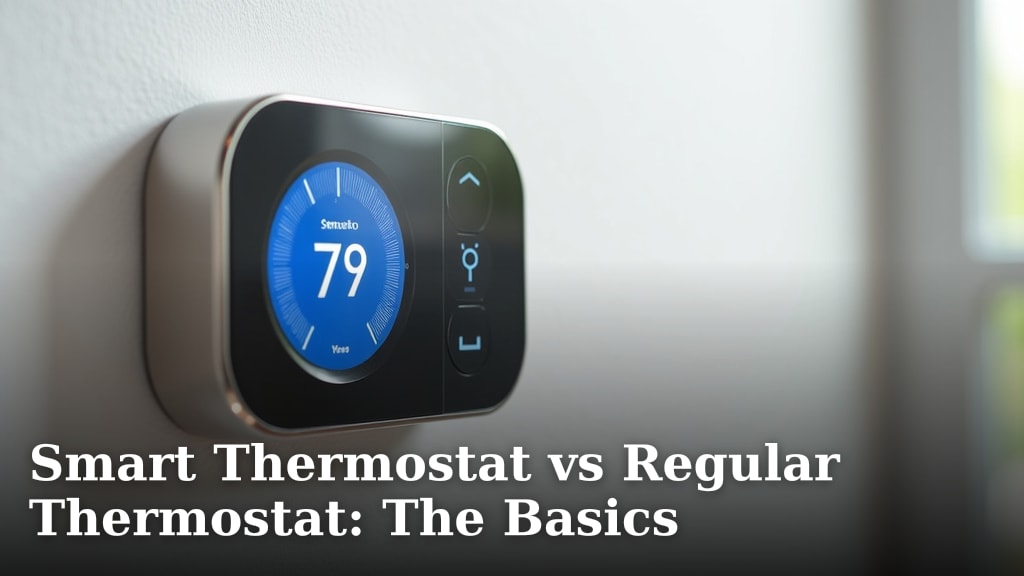
For the larger decision between connected and traditional controls, see Smart Thermostat vs Regular Thermostat: The Basics. Use that comparison if you are unsure whether remote access and scheduling are worth an upgrade.
Our picks at a glance
-
1

-
2

-
3

- 4
 Check it
ecobee Smart Thermostat Enhanced
Best for automatic comfort routines - 5
 Best for Alexa householdsCheck it
- 6
 Check it
Sensi Touch 2 Smart Thermostat Wi-Fi
Best for a clear touchscreen - 7
 Check it
meross Matter Smart Thermostats for Home
Best for Matter platform flexibility - 8
 Check it
Riseem WiFi Thermostats for Home Smart Thermostat
Best for basic single-stage systems - 9
 Check it
Aqara Smart Thermostat W200 with Apple Adaptive
Best for Apple smart-home expansion
The best basic smart thermostat picks
The Google Nest Thermostat is the strongest all-around choice, while Sensi keeps the controls familiar and the remaining picks target specific wiring, platform or comfort needs.
We compared the stated features, compatibility limits and included parts against what buyers usually need from a straightforward connected thermostat.
That comparison puts wiring ahead of novelty on purpose. A basic thermostat that matches your system and power supply will be easier to live with than a richer model that needs extra parts.
It also puts daily control ahead of extra sensors. App access, a clear schedule and a readable wall display cover most of the needs that bring people to this category.
The picks below cover different homes on those practical grounds. Some favor buttons over a touchscreen, some favor one voice platform over another, and some add room sensing only when a single hallway reading is a real problem.
Google Nest Thermostat: Best for simple whole-home control
- Programmable schedule
- Google Home app control
- Automatic away adjustments
- Designed to work without a C wire in most homes
The Google Nest Thermostat keeps the basic smart controls clear while adding remote access, scheduling and HVAC alerts.
Pros
- Automatic away adjustment
- Google Home app scheduling
- C wire not needed in most homes
Cons
- Some systems need a C wire or power accessory
- Voice control needs a compatible smart device
Google Nest Thermostat is the best basic smart thermostat for a home that wants remote access without a complicated control routine. The Google Home app lets you create an energy-focused schedule on Android or iPhone, while remote control works from a phone, laptop or tablet.
Its away adjustment turns the thermostat down when you leave. HVAC monitoring can send alerts about possible system issues and reminders that make maintenance easier, but those alerts are not a replacement for a professional diagnosis.
The Nest is designed to work without a C wire in most homes. Heating-only, cooling-only, zone-controlled and heat-pump systems may need a C wire or another compatible power accessory, so use Google's compatibility checker before installation.
Choose it if you want a compact wall-mounted thermostat with Google Home control, voice support through compatible devices and a simple schedule. The Charcoal model measures 1.21 D x 3.3 W x 3.3 H in and includes a steel plate, mounting screws and documentation.
Sensi Smart Thermostat: Best for familiar button control
- Button controls
- DIY app guidance
- Flexible scheduling
- Usage reports and filter reminders
Sensi looks and feels like a traditional thermostat, making it a good fit for buyers who want smart access without a touch-heavy interface.
Pros
- Built-in level
- Button control
- Privacy protection feature
Cons
- Larger wall footprint
- Compatibility still needs checking
Sensi Smart Thermostat is the best basic smart thermostat for buyers who want smart access while keeping a familiar wall control.
Its buttons and traditional shape make the change easier for households that do not want a touchscreen. A physical control also gives a clear result when you press it.
That layout helps in a hallway where guests, children or older adults may need to adjust the temperature without opening an app.
The built-in level and step-by-step app instructions support DIY installation. The level helps the unit sit straight, which matters for appearance and a clean reading.
A C wire is not required in most applications, although you still need to confirm your HVAC equipment matches the instructions.
That distinction matters because not required does not mean never needed. Photograph the old wiring, turn off power at the breaker and compare each label first.
Sensi adds flexible scheduling, remote access, usage reports, equipment alerts and filter replacement reminders.
Those reports show whether the system runs longer in cold or hot weather. Filter reminders tie directly to a task most homeowners already accept.
Its privacy feature says Sensi will not sell personal information to third parties. For a household that values that limit, the promise is part of the choice.
The white plastic thermostat measures 1 D x 5.88 W x 3.75 H in. That wider footprint can cover marks from an older unit, though it needs more clear wall space.
Choose it when button control and a familiar layout matter more than a small display or occupancy features.
ecobee Smart Thermostat Premium: Best for room-aware comfort
- Included SmartSensor
- Built-in air quality monitor
- Occupancy sensing
- Power Extender Kit included
The Premium adds room-aware temperature control, air quality monitoring and a built-in smart speaker for buyers who want more than basic scheduling.
Pros
- SmartSensor included
- Air quality monitoring
- Works with Siri and Alexa
Cons
- More features than a minimalist buyer may need
- Siri requires an Apple home hub
ecobee Smart Thermostat Premium is the best basic smart thermostat here for buyers who want room-aware comfort.
Its included SmartSensor detects the room in use and helps the thermostat respond beyond a single hallway reading.
That matters where the hallway stays cool while the bedroom or home office runs warm. A sensor in a living space gives a better sense of where comfort is needed.
The Premium also has a built-in air quality monitor, furnace filter reminders and occupancy sensing.
Air quality information can prompt simple steps such as changing a filter or running the fan. Occupancy sensing can adjust for an empty house without a manual away setting.
Its built-in speaker supports Siri or Alexa, and the thermostat can stream Spotify playlists or podcasts.
That speaker suits a kitchen or living area more than a quiet bedroom, so placement should be part of the decision.
The box includes the thermostat, SmartSensor, trim plate, wire labels, screws, wall plugs, a quick start guide and a Power Extender Kit for systems without a C wire.
Wire labels and the trim plate are especially useful when the old thermostat left a larger mark on the wall.
ecobee says it works with 95% of HVAC systems, but its compatibility checker remains the safer starting point.
Run the checker with your system type before you open the box. Pick it if hot and cold spots or air-quality information matter.
ecobee Smart Thermostat Enhanced: Best for automatic comfort routines
- Occupancy sensing
- Automatic away and sleep adjustments
- Remote app control
- Power Extender Kit included
The Enhanced suits buyers who want automatic comfort changes and broad smart-home support without adding the Premium model's included room sensor.
Pros
- Occupancy-based adjustments
- App and voice control
- Works with Alexa, Google Assistant, Apple HomeKit and SmartThings
Cons
- SmartSensors are sold separately
- Requires wiring compatibility
ecobee Smart Thermostat Enhanced fits homes that want automatic comfort changes without the Premium's included room sensor.
Built-in occupancy sensing can adjust the temperature when people are away or asleep and can preheat or precool before arrival.
That suits a regular routine such as leaving for work at the same time most weekdays. The house can ease back while empty and recover before you walk in.
It also suits a home where sleep settings matter. A lower overnight target can be handled as part of the routine instead of relying on a manual change.
The ecobee app supports remote changes from a smartphone, tablet or Apple Watch. A watch can help when you want a quick adjustment without pulling out a phone.
It also works with Alexa, Google Assistant, Apple HomeKit and SmartThings. That range leaves room to change platforms later without replacing the thermostat.
ecobee says the Enhanced is compatible with 90% of HVAC systems. That figure is a guide rather than a promise for your furnace or heat pump.
Use the compatibility checker and compare the wiring diagram before you commit.
The Power Extender Kit and trim kit are included, which can help in homes without a C wire, but the wiring still needs to match the supported system.
Neither kit can fix a mismatch in system stages or terminals. Choose this model when automatic routines matter more than physical buttons.
Add SmartSensors later if you want room-by-room prioritization.
Amazon Smart Thermostat: Best for Alexa households
- Alexa control
- Home, away and sleep temperatures
- Remote Alexa app control
- C wire required
Amazon's model is a direct choice for homes already built around Alexa, especially when a C wire is available at the thermostat location.
Pros
- Alexa routines
- Remote app control
- Automatic home, away and sleep settings
Cons
- C wire required
- Best fit depends on an Alexa-based setup
Amazon Smart Thermostat is the best basic smart thermostat for an Alexa-centered home.
Alexa can switch between preferred home, away and sleep temperatures, and you can change settings remotely through the Alexa app. That setup suits a household that already uses Alexa for scenes and routines, so the thermostat joins the same habits instead of adding a separate app.
Select Echo devices or an Amazon Smart Air Quality Monitor can help create comfort zones through temperature readings or presence detection. Those extra devices add useful context, but they also mean the comfort zones depend on more than the thermostat alone.
A home that starts from zero may spend more on supporting devices than expected. A home that already owns them can use the thermostat as a natural extension.
The title specifies that a C wire is required. Confirm that wire before choosing it, because a smart thermostat that cannot receive the required power is not a practical upgrade.
Choose Amazon's model for simple Alexa routines and remote control. Consider Nest or the standard Sensi if your home does not have a C wire.
Sensi Touch 2 Smart Thermostat Wi-Fi: Best for a clear touchscreen
- LCD touchscreen
- Bluetooth-assisted setup
- Usage reports
- Compatible with Sensi Room Sensors
The Sensi Touch 2 adds a touchscreen and optional room-sensor support for buyers who want simple controls with a more modern display.
Pros
- Touchscreen control
- Room-sensor support
- Privacy protection feature
Cons
- Common wire required
- Room sensors are sold separately
Sensi Touch 2 is the best basic smart thermostat for buyers who prefer a clear touchscreen and may want room sensors later.
The LCD touchscreen provides direct control, while the app adds scheduling, remote access and usage reports. A clear display helps in a busy hallway where several people use the same wall control during the day.
The model works with Sensi Room Sensors, sold separately, to help balance temperatures around the home. Room sensors can help when a bedroom stays cool while a living room feels warm, by prioritizing rooms where people spend the evening.
It also offers equipment alerts, filter replacement reminders and usage reports. Those reports can show when the system runs more often, which may point to a filter or seasonal change.
A common wire is required. The box includes the thermostat, mounting hardware, installation guide, owner's manual and warranty booklet, while the thermostat measures 5.6 D x 3.25 W x 0.77 H in.
Pick it when a modern screen matters and the wall already has the required C wire. Choose the standard Sensi instead if physical buttons and fewer wiring demands are more useful.
meross Matter Smart Thermostats for Home: Best for Matter platform flexibility
- Matter integration
- 24/7 flexible scheduling
- Filter and malfunction alerts
- 2.4 and 5 GHz Wi-Fi
Meross is a strong fit when local Matter control across Apple Home, Alexa, Google Home or SmartThings matters more than a familiar thermostat brand.
Pros
- Matter support
- Flexible scheduling
- Filter and system alerts
Cons
- Some wiring configurations need a C wire
- Not for line-voltage or two-wire systems
meross Matter Smart Thermostat is the best basic smart thermostat for homes that use more than one smart-home platform.
Matter integration connects it locally with Apple Home, Amazon Alexa, Google Home, Home Assistant and Samsung SmartThings.
Local control can feel more direct in daily use because commands do not need to travel through a single cloud service. It also gives you more freedom if you change a phone or voice assistant later.
That flexibility suits a home that is still settling on a platform. You can keep the thermostat while the rest of the setup evolves around it.
It supports 24/7 flexible scheduling, remote app control, filter-life alerts and system malfunction alerts.
Flexible scheduling helps when workdays and weekends follow different patterns. Alerts can surface a filter change or a possible system issue before it becomes a comfort problem.
The thermostat uses Wi-Fi and has a stated 95% HVAC compatibility range.
Wi-Fi keeps remote access simple for most homes with a stable network. The compatibility range still needs a check against your system type and wiring.
The limits are important.
It is not suitable for 110 V, 120 V or 240 V electric baseboard heaters, millivolt thermostats or two-wire systems, and some wiring setups need a C wire.
Those limits make this a poor fit for certain older or electric heating setups. A quick wiring check can save you from a return and a second purchase.
Choose it when Matter is the deciding feature.
For a simple install with a conventional single-stage system, the Riseem model below has clearer and narrower system limits.
Riseem WiFi Thermostats for Home Smart Thermostat: Best for basic single-stage systems
- Single-stage 1 heat/1 cool support
- 2.4 GHz Wi-Fi
- 7-day scheduling
- App and button control
Riseem keeps the feature set focused for a compatible single-stage system, with app access and scheduled temperature periods.
Pros
- Clear compatibility limits
- 7-day programming
- Backlit LCD
Cons
- Does not support heat pumps
- Only 2.4 GHz Wi-Fi
Riseem is the best basic smart thermostat for a compatible conventional single-stage 1 heat/1 cool system.
It supports gas, oil and electric systems with RH, RC, W, Y, G and C terminals. That narrow focus can be a strength when your home matches it exactly.
The C wire is required, and the thermostat cannot run on batteries. If your wall plate has no C wire, this thermostat will not be a simple swap.
It also works only with 2.4 GHz Wi-Fi, so a 5 GHz-only network will not work. Keep the thermostat within a good signal range so remote changes and schedules stay reliable.
Riseem supports app control, button control and 7-day scheduling. Button control keeps local changes simple, while the app handles remote access and the weekly plan.
Its backlit LCD is designed for easy reading in dark rooms, and the unit measures 0.98 D x 4.72 W x 3.86 H in.
Do not use it for heat pumps, multi-stage systems, line-voltage heaters, mini splits, PTAC units or RV air conditioners.
Aqara Smart Thermostat W200 with Apple Adaptive: Best for Apple smart-home expansion
- Apple Adaptive Temperature
- Matter 1.4 support
- Built-in Zigbee hub
- 4-inch full-color touchscreen
Aqara W200 fits buyers who want a thermostat to serve as a wider smart-home control panel, not only a temperature controller.
Pros
- Apple Adaptive Temperature
- Built-in smart-home hub
- Presence detection
Cons
- Some features need Apple hardware or separate sensors
- More complex than a basic thermostat
Aqara W200 is the best basic smart thermostat for an Apple-focused buyer who also wants a larger smart-home control point.
Its 4-inch full-color touchscreen supports app, voice and one-tap control, while built-in mmWave radar detects human presence.
A larger screen makes the temperature and mode easy to see at a glance. Presence detection can help the system respond when you enter a room.
That combination suits a main living area where you can check status while passing through without opening an app.
Apple Adaptive Temperature can use activity states such as home, sleep, away and extended away.
Those states can align temperature with your routine in a natural way. Coming home can trigger comfort, while a long absence can allow a deeper energy-saving shift.
That feature needs an Apple TV or HomePod home hub plus an iPhone or Apple Watch running version 26 or later.
Those requirements matter because Adaptive Temperature depends on the Apple setup around it. Without that hardware, you will not get this specific behavior.
The W200 supports Matter 1.4, Apple Home, Google Home, Amazon Alexa and Samsung SmartThings.
It also includes a Zigbee hub, Matter controller and Thread border router, making it more capable than a schedule-only thermostat.
Those built-in hubs can bring other smart-home devices into the same setup. That wider role can simplify a growing system, though it adds more to configure.
Aqara says it works with about 85% of HVAC systems. A C-Wire Adapter is sold separately when needed, and separate sensors may be needed for some room-based functions.
Confirm the HVAC type, then confirm whether your wall already supplies the power the thermostat needs.
How to choose a basic smart thermostat
The best basic smart thermostat depends first on your wiring and HVAC system. A familiar app or voice platform matters only after the thermostat can safely control your equipment.
Check HVAC compatibility before comparing apps
Start by identifying whether your system is conventional, a heat pump, multi-stage, line voltage or another type. The What HVAC Systems Work with Smart Thermostats? guide can help you sort the main categories.
Do not assume a Wi-Fi thermostat works with every heater. For electric baseboard systems, read [What Is a Line Voltage Thermostat?
The Basics](/what-is-a-line-voltage-thermostat/) before choosing a low-voltage smart thermostat.
Confirm the C-wire requirement
The C wire supplies steady power for many smart thermostats. Nest and standard Sensi may work without one in many homes, while Amazon, Sensi Touch 2 and Riseem require a C wire.
ecobee includes a Power Extender Kit with the Premium and Enhanced models for systems without a C wire. That does not remove the need to confirm the rest of your wiring.
Match the controls to your routine
Choose buttons if you want a familiar wall interface.
Buttons suit a hallway where anyone may need to make a quick change. They also suit a household that prefers a clear press over a swipe or a menu.
Choose a touchscreen if you often adjust the thermostat locally, and choose occupancy or room sensors if one hallway temperature does not represent the rooms you use.
A touchscreen can make schedules and current readings easier to scan. Room sensors can help when bedrooms, offices and living rooms hold heat in different ways.
Think about who uses the thermostat most often. A control that fits that person will be used correctly more often than a richer interface that feels confusing.
Think about placement as well. A thermostat near a sunny window, a kitchen or an exterior door may read the home in a misleading way.
For a broader decision process, read How to Choose a Smart Thermostat.
That guide can help you rank wiring, platform and comfort needs before you compare models. It is especially useful if you are unsure whether room sensing is worth added cost.
If you are deciding between a thermostat and a connected plug, compare the smart thermostat vs smart plug use cases first.
A smart plug controls a small device, while a thermostat controls the heating and cooling system for the home. That difference should shape the choice before brand or screen size enters the picture.
Consider the platform you already use
Nest fits Google Home, Amazon fits Alexa and ecobee supports several major platforms. Meross and Aqara add Matter support, which can reduce the need to choose a thermostat based on only one voice assistant.
If you have a Trane system, check a best Trane compatible smart thermostat guide before relying on a general compatibility statement. For energy-focused scheduling and automatic adjustments, see best smart thermostats for energy saving.
Which basic smart thermostat should you choose?
Choose the Google Nest Thermostat if you want the best balance of scheduling, remote control and automatic away adjustments.
Choose the Sensi Smart Thermostat if buttons and privacy matter more than a modern touchscreen.
That pairing covers the two most common basic needs in simple form. One favors a connected app routine, and the other favors a familiar wall control with a clear privacy promise.
Pick Amazon Smart Thermostat for an Alexa-first home, Riseem for a supported single-stage system, or meross for Matter control across platforms.
Those picks follow the wiring and platform you already have. They make the most sense when the choice is driven by a C wire, a single-stage system or a wish to keep options open across assistants.
Choose ecobee Premium, ecobee Enhanced or Aqara W200 when room sensing, occupancy features or wider smart-home control justify a more advanced setup.
Those models add value when a hallway reading is not enough. They can also serve as a hub for other devices, though that role brings more setup and more choices to maintain.
Before you decide, check your system type and C-wire status one more time. That plain step can prevent the most common regret with a smart thermostat.
Our score weighs specs, features and buyer feedback against what you need from a basic smart thermostat.
The goal is a thermostat you will use without thinking about it. A simple schedule, a clear display and wiring that fits your home will matter more than extra features in daily life.
Our top 3 picks at a glance
-
1
-
2
-
3
Frequently asked questions
What is the best basic smart thermostat?
The Google Nest Thermostat is the best basic smart thermostat for most homes because it offers scheduling, remote control, automatic away adjustments and HVAC alerts. Sensi is a better match if you prefer physical buttons, while Amazon's model makes more sense in an Alexa-focused home.
Check wiring and HVAC compatibility before choosing.
Do basic smart thermostats need a C wire?
Some basic smart thermostats work without a C wire in most homes, including the Google Nest Thermostat and Sensi Smart Thermostat. Others require one, such as the Amazon Smart Thermostat, Sensi Touch 2 and Riseem model.
Turn off HVAC power and check the wiring guide before installation.
Are smart thermostats hard to install?
Installation depends on your HVAC wiring, not only the thermostat. Several picks include app guidance, wire labels or a Power Extender Kit, but heat pumps, multi-stage systems and unusual wiring need extra care.
Use a qualified professional if the wiring does not match the instructions.
Can a smart thermostat control more than one room?
Some smart thermostats can use room sensors or occupancy data to prioritize comfort in different parts of a home. The ecobee Premium includes a SmartSensor, while Sensi Touch 2 and ecobee Enhanced support compatible sensors sold separately.
These systems do not make every room identical, but they can use more than one temperature reading.