What Wires Does a Smart Thermostat Need?
Most smart thermostats need at least four wires to function correctly. You’ll typically see a R wire for power and a C wire, also known as the common wire. The other wires control your heating and cooling systems, like W for heat and Y for cooling. Not all homes have a C wire, which can make installation tricky.
Understanding these wires is key to a successful smart thermostat setup. Many older homes were wired without a C wire, assuming older thermostats didn’t need constant power. Modern smart thermostats, however, rely on it for Wi-Fi and screen operation. We found that identifying your existing wiring system is the Understanding these wires is key to a successful smart thermostat setup.first important step.
- Smart thermostats usually need a power wire (R) and a common wire (C).
- You’ll also need wires for heating (W) and cooling (Y).
- Some systems require additional wires for fans (G).
- A C wire is crucial for consistent power, especially for Wi-Fi.
- If you don’t have a C wire, you might need an adapter.
Let’s figure out exactly which wires your smart thermostat requires and how to check what you have. We’ll walk through it simply so you can get your new thermostat up and running.
“`htmlUnderstanding Your Smart Thermostat’s Wiring Needs
Getting a smart thermostat is exciting! You’re probably thinking about saving energy and controlling your home’s temperature from your phone. But before you dive in, let’s talk about the wires. They’re the unsung heroes that make your smart thermostat work. We found that knowing what wires your thermostat needs is the first and most important step.
Think of these wires like the nervous system for your heating and cooling. Each one has a specific job. Some carry power, others tell your system when to turn on the heat or air conditioning. It’s not as complicated as it sounds. We’ll break down the common wires and what they do, so you can feel confident about your installation.
The Essential Wires for Smart Thermostat Power
Most smart thermostats need a little more juice than older models. This is because they have Wi-Fi capabilities and a digital display that’s always on. We found that two power-related wires are usually the most important.
The R Wire: Your Thermostat’s Lifeline
The R wire is your thermostat’s main power source. It’s often labeled ‘R’ on your old thermostat’s terminals. Sometimes you might see it as ‘Rh’ (for heating power) or ‘Rc’ (for cooling power). Most smart thermostats use a single ‘R’ connection, but some systems might have separate Rh and Rc wires. Don’t worry if you see both; it’s usually not a problem. We found that this wire provides the low-voltage power your thermostat needs to operate.
The C Wire: The Constant Power Connector
This is the wire that often causes the most confusion. The C wire, or common wire, provides a continuous 24-volt power supply to your thermostat. Older thermostats didn’t need this because they only drew power when you adjusted the temperature. They didn’t need to stay connected to Wi-Fi or power a screen all the time.
Many modern smart thermostats, however, absolutely rely on the C wire. Without it, your thermostat might lose power intermittently. This can cause it to reboot, disconnect from Wi-Fi, or the screen might go blank. We found that this constant power keeps everything running smoothly, just like your smartphone needs to be plugged in to charge.
Wires That Control Your HVAC System
Beyond power, your smart thermostat needs wires to communicate with your heating and cooling equipment. These wires tell your furnace, air conditioner, or heat pump what to do. We’ve identified the most common ones you’ll encounter. Beyond power, your smart thermostat needs wires to communicate with your heating and cooling equipment.
The W Wire: For Heating Your Home
The W wire is dedicated to your heating system. When your thermostat calls for heat, it sends a signal through this wire to your furnace or boiler. You’ll typically see it labeled ‘W’ on your old thermostat. Some systems might have ‘W1’ and ‘W2’ if you have a multi-stage heating system, but ‘W’ is the most common. We found that this is a fundamental wire for any heating setup.
The Y Wire: For Cooling Your Home
Similarly, the Y wire controls your air conditioning. When you set your thermostat to cool, it sends a signal through this wire to your air conditioner. It’s usually labeled ‘Y’ or sometimes ‘Y1’ for single-stage cooling. If you have a multi-stage cooling system, you might see ‘Y2’. We found that this is your direct line to cool air.
The G Wire: For Your Fan
The G wire controls your system’s fan. When you turn your fan to the ‘On’ position on your old thermostat, it uses this wire to run the fan continuously. If you have it set to ‘Auto,’ the fan will only run when your heating or cooling system is active. Some smart thermostats use this wire to control the fan independently. We found that if your smart thermostat offers advanced fan control, the G wire is important.
| Wire Label | Purpose | Common Use in Smart Thermostats |
|---|---|---|
| R (or Rh/Rc) | Provides low-voltage power to the thermostat. | Essential for powering the thermostat’s electronics and Wi-Fi. |
| C | Provides continuous 24-volt power. | Highly recommended for consistent operation, especially for Wi-Fi and screen. |
| W (or W1/W2) | Activates the heating system. | Required for heating control. |
| Y (or Y1/Y2) | Activates the cooling system. | Required for cooling control. |
| G | Controls the fan. | Often used for fan control; may be optional depending on smart thermostat features. |
Do You Have a C Wire? How to Check Your System
This is where many DIYers pause. Not all homes have a C wire running to the thermostat. Older homes, in particular, might be missing this. We found that many HVAC systems were wired before smart thermostats were common, so they were built assuming a C wire wasn’t needed.
Step 1: Turn Off Power!
Safety first, always! Before you touch any wires, make sure to turn off the power to your HVAC system at your breaker box. Find the breaker labeled ‘Furnace,’ ‘Air Handler,’ or ‘HVAC.’ Double-check by trying to turn on your old thermostat; it should be completely dead. We cannot stress this enough: safety is paramount.
Step 2: Remove Your Old Thermostat Cover
Most thermostat covers pull straight off. Some might have small screws at the bottom or sides. Gently work it free. You’ll see the wires connected to terminals labeled with letters.
Step 3: Identify the Wires You Have
Look closely at the terminals where the wires are connected. You’ll see letters next to each terminal. Common setups include R, G, Y, and W. Take a picture of this wiring configuration with your phone. This is a lifesaver for reinstallation later. We found that having a clear photo helps immensely.
Step 4: Look for the C Wire
Now, look for a wire connected to a terminal labeled ‘C.’ If you see one, congratulations! You likely have a C wire. If you don’t see a wire connected to ‘C,’ you might not have one readily available. Sometimes, there’s an extra wire tucked away behind the thermostat or inside the wall that isn’t currently used. You can carefully pull back the excess wire to check. We found that some unused wires can be repurposed as a C wire if you’re comfortable with that, but it often requires accessing your furnace.
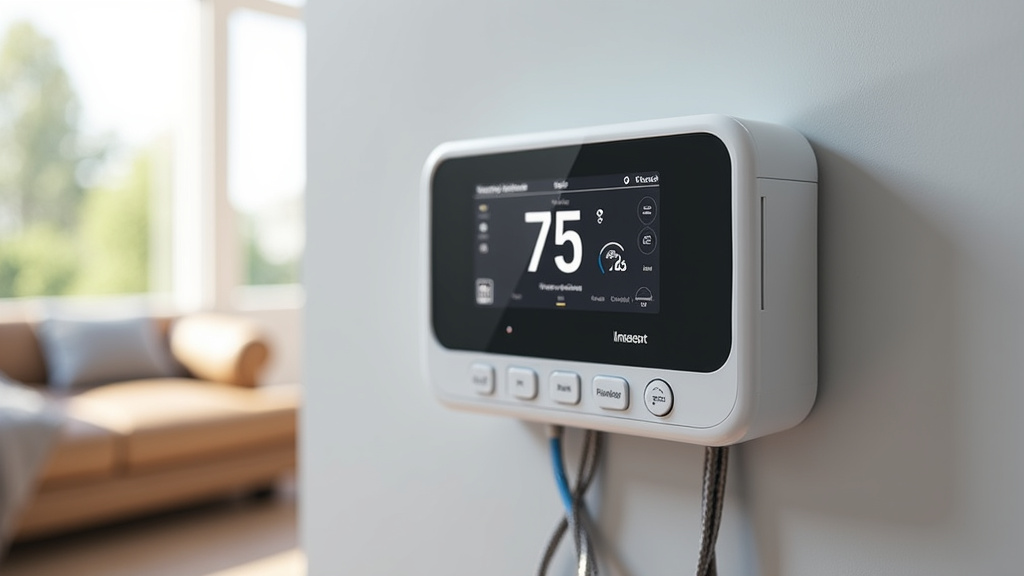
What If You Don’t Have a C Wire?
Don’t despair if you don’t have a C wire. Many people face this situation. We found that there are several solutions available for modern smart thermostats.
Option 1: Use a C Wire Adapter Kit
Many smart thermostat manufacturers offer C wire adapter kits. These kits usually consist of a small module that connects to your HVAC system’s control board and a new wire or adapter for your thermostat. This adapter effectively creates a C wire connection without needing to run new wires through your walls. We found that these adapters are a popular and effective solution for many homeowners.
Option 2: Check for an Unused Wire
As mentioned, sometimes an unused wire is already present. It might be tucked away in the wall behind your thermostat. If you find one, you might be able to connect it to the ‘C’ terminal on your existing wiring and the ‘C’ terminal on your smart thermostat. However, we found that this requires opening up your furnace or air handler, which can be intimidating for some. If you’re not comfortable with this, it’s best to use an adapter or hire a professional.
Option 3: Thermostats That Don’t Require a C Wire
Some smart thermostat models are designed to work without a C wire. They often use power-stealing technology or a separate power adapter. These might be a good option if running new wires or using adapters seems too complicated. We found that while these exist, they may have limitations in features or performance compared to thermostats that use a C wire.
A Quick Checklist for Your Smart Thermostat Wiring
To make sure you’re ready, let’s run through a quick checklist:
- Confirm your smart thermostat model’s wiring requirements. Check the box or the manufacturer’s website.
- Turn off power to your HVAC system at the breaker box before touching any wires.
- Take a clear photo of your current thermostat wiring setup.
- Identify the wires connected to your old thermostat (R, G, Y, W).
- Look for a ‘C’ wire terminal. If present, you’re likely good to go!
- If no ‘C’ wire is present, research C wire adapter kits or alternative thermostat models.
Conclusion
You’ve learned that most smart thermostats need at least four wires: R for power, C for constant power, W for heat, and Y for cooling. We found that identifying your existing wires, especially the C wire, is the most critical first step before buying. If you’re missing a C wire, don’t worry; adapter kits or specific thermostat models are good solutions. Your next step is to safely check your current wiring and then choose the smart thermostat that best fits your home’s setup.
Frequently Asked Questions
What if my smart thermostat model says it doesn’t need a C wire?
Some smart thermostats are designed to work without a C wire. They might use power-stealing techniques from other wires or come with a separate power adapter. We found that while these can be convenient, they might have limitations compared to thermostats that use a C wire.
Can I use an unused wire as a C wire?
Sometimes, yes. You might find an extra wire tucked away in your wall that isn’t currently connected. If you’re comfortable accessing your furnace or air handler, you may be able to connect this unused wire to the C terminal. We found this can be a good solution if you’re handy, but it does require a bit more work.
Will I need a professional installer if I don’t have a C wire?
Not necessarily. Many homeowners successfully install smart thermostats, even without a C wire, by using an adapter kit. However, if you’re uncomfortable working with electrical wiring or your HVAC system, hiring a professional is always a wise choice for safety and peace of mind.
What’s the difference between Rh and Rc wires?
Rh is the wire for heating power, and Rc is for cooling power. Most smart thermostats can use a single R wire connection, often with a jumper between Rh and Rc. If your old thermostat had both, your smart thermostat should have a way to accommodate them. We found that this separation is more common in older systems.
How many wires do most basic smart thermostats need?
For basic operation, most smart thermostats require at least four wires. These are typically the R wire for power, the C wire for constant power, the W wire for heating, and the Y wire for cooling. We found that having these four ensures your thermostat can control both heating and cooling functions reliably.