How Does a Smart Thermostat Control Humidity?
On this page (10 sections)
- Understanding How Your Smart Thermostat Manages Home Humidity
- The Science of Humidity and Your Comfort
- The Role of Sensors in Humidity Control
- How Smart Thermostats Actively Manage Humidity
- Setting Your Desired Humidity Level
- Benefits of Smart Humidity Control
- What Your Smart Thermostat Needs to Control Humidity
- Checking Your Home’s Humidity Levels
- Conclusion
- Frequently Asked Questions
A smart thermostat controls humidity by working with your HVAC system to either add moisture (humidify) or remove it (dehumidify). It monitors the relative humidity in your home and adjusts your heating or cooling to reach your desired level. This helps maintain a comfortable and healthy indoor environment.
Think of your smart thermostat as a smart home manager for air quality. It doesn’t just set the temperature; it also keeps an eye on how moist or dry the air is. When the humidity is off, it tells your furnace or air conditioner what to do. This is a big step up from older thermostats that only managed temperature. Learn more about the differences between a smart thermostat and a regular one.
- Smart thermostats measure indoor humidity levels.
- They communicate with your HVAC system.
- They can humidify or dehumidify your home.
- This helps create a more comfortable and healthier living space.
Let’s walk through exactly how your smart thermostat keeps your home’s humidity just right.
Understanding How Your Smart Thermostat Manages Home Humidity
Your smart thermostat does more than just keep your home at the perfect temperature. It’s also a key player in managing your home’s humidity levels. This helps make your living space more comfortable and can even protect your home from potential issues. It works by sensing the moisture in the air and telling your heating and cooling system how to respond.
The Science of Humidity and Your Comfort
Humidity refers to the amount of water vapor in the air. While you can’t see it, it significantly impacts how the temperature feels. High humidity can make warm days feel even hotter and more uncomfortable. It can also lead to mold and mildew growth.
Low humidity, on the other hand, can cause dry skin, irritated sinuses, and even damage to your wooden furniture and floors. Finding that sweet spot is essential for a healthy and pleasant home environment.
What is Relative Humidity?
You’ll often see “RH” mentioned when talking about humidity. This stands for relative humidity. It’s the amount of water vapor in the air compared to the maximum amount the air could hold at that specific temperature. For example, 50% RH means the air is holding half the water vapor it could at that temperature.
Many experts suggest that an ideal indoor RH range is between 30% and 50% (U.S. Environmental Protection Agency). Your smart thermostat aims to keep your home within this healthy range.
How Humidity Affects Your HVAC System
Your heating, ventilation, and air conditioning (HVAC) system is designed to control temperature. However, it also plays a role in humidity. When your air conditioner runs, it naturally removes some moisture from the air as a byproduct of cooling.
Your furnace, during the heating season, can sometimes dry out the air. This is because heating air makes it capable of holding more moisture, so the relative humidity drops. Your smart thermostat knows this and can adjust accordingly.
The Role of Sensors in Humidity Control
At the heart of your smart thermostat’s humidity control are its built-in sensors. These sensors are constantly monitoring the air around them.
Internal Humidity Sensors
Most modern smart thermostats come equipped with a hygrometer. This is a fancy word for a sensor that measures humidity. It sits inside your thermostat, sensing the current RH level in the room where the thermostat is located.
The accuracy of these sensors is important. Reputable brands often use high-quality sensors to provide reliable readings. This ensures your thermostat is making decisions based on real-time data about your home’s air.
External Sensors (Optional)
Some advanced smart thermostat systems allow for additional wireless sensors. You can place these in different rooms or even on different floors of your home. This gives your thermostat a more comprehensive picture of humidity across your entire house.
This is especially useful in larger homes or homes with uneven temperature or humidity distribution. You can tell your thermostat which sensors to prioritize or average their readings. This allows for more precise control throughout your living space.
How Smart Thermostats Actively Manage Humidity
Your smart thermostat uses the data from its sensors to make intelligent decisions. It communicates with your HVAC system to either add or remove moisture.Dehumidification: Removing Excess Moisture
When the RH in your home gets too high, your smart thermostat can activate your air conditioner in a specific way to remove humidity. It doesn’t just cool the air; it runs the cooling cycle longer than it might for temperature alone. This extended run time allows the air conditioner’s coils to get colder.
As warm, moist air passes over these cold coils, water vapor condenses. This condensed water is then drained away, effectively removing moisture from the air. Your thermostat stops this process once the desired humidity level is reached.
Smart Cooling for Better Dehumidification
Some smart thermostats are designed to work with HVAC systems that have a “humidification mode” or a variable-speed fan. They can use the fan at a lower speed to increase the time air spends interacting with the cold coils. This provides more efficient dehumidification without overcooling your home.
Humidification: Adding Moisture to Dry Air
During colder months, or in very dry climates, your home’s air can become too dry. When your smart thermostat detects low RH, it can signal your HVAC system to add moisture. This usually requires a compatible whole-home humidifier to be installed and connected to your HVAC system.
When your thermostat calls for humidification, it tells your connected humidifier to turn on. The humidifier then adds water vapor to the air being circulated by your HVAC system. This continues until the desired RH level is achieved.
The Humidifier Connection
It’s important to note that most smart thermostats do not have a built-in humidifier. They control one that’s part of your HVAC setup. You’ll need to have a whole-home humidifier installed by a professional if you want your smart thermostat to actively humidify your home.
Many people find that simply running their AC more in the summer helps with humidity. However, when the air is truly dry in winter, a humidifier is the most effective solution (Mayo Clinic).
Setting Your Desired Humidity Level
Part of the “smart” in smart thermostat is personalization. You can tell your thermostat what humidity level you prefer. Through its app or the device itself, you’ll find settings for humidity control.
You’ll typically set a target RH range, like between 40% and 45%. Your thermostat will then work to maintain that range. It might not be able to achieve the exact number you want every second, but it will actively manage your system to stay as close as possible.
Creating Custom Schedules for Humidity
Some smart thermostats allow you to create custom schedules for humidity, just like you do for temperature. For instance, you might want slightly higher humidity in the morning when you wake up and slightly lower at night. You can program these preferences.
This level of customization ensures your home’s environment is optimized for your comfort at different times of the day. It also helps save energy by not over-humidifying or dehumidifying when it’s not needed.
Benefits of Smart Humidity Control
Maintaining the right humidity levels offers several advantages for your home and well-being.
Enhanced Comfort
As we touched on, the right humidity makes a big difference. It prevents that sticky, muggy feeling in summer and the dry, scratchy feeling in winter. You feel more comfortable at the set temperature.
Healthier Indoor Air
Proper humidity control can reduce the growth of mold, mildew, and dust mites. These can be triggers for allergies and asthma (Centers for Disease Control and Prevention). Keeping RH between 30-50% is generally recommended for health.
Home Protection
Extremely low humidity can cause wood to shrink, leading to cracks in furniture, floors, and even musical instruments. Very high humidity can promote mold and rot. Maintaining a balanced level helps preserve your home’s structure and belongings.
Energy Efficiency
When your home’s humidity is controlled, you often feel more comfortable at slightly higher temperatures in the summer and slightly lower in the winter. This means you might use your HVAC system less, saving energy and money.
What Your Smart Thermostat Needs to Control Humidity
For your smart thermostat to effectively manage humidity, a few things are typically necessary:
- A smart thermostat with built-in humidity sensing capabilities.
- A compatible HVAC system that can respond to humidity commands.
- For humidification, a whole-home humidifier connected to your HVAC system.
- For dehumidification, your air conditioner needs to be able to run in a way that removes moisture.
When to Consult a Professional
If you’re considering adding a whole-home humidifier or are unsure if your current HVAC system is compatible with humidity control features, it’s best to consult an HVAC professional. They can assess your system and recommend the right solutions for your home.
They can also help ensure everything is installed correctly and functioning optimally. Proper installation is key to effective and efficient humidity management.
Checking Your Home’s Humidity Levels
You can easily check the current humidity in your home:
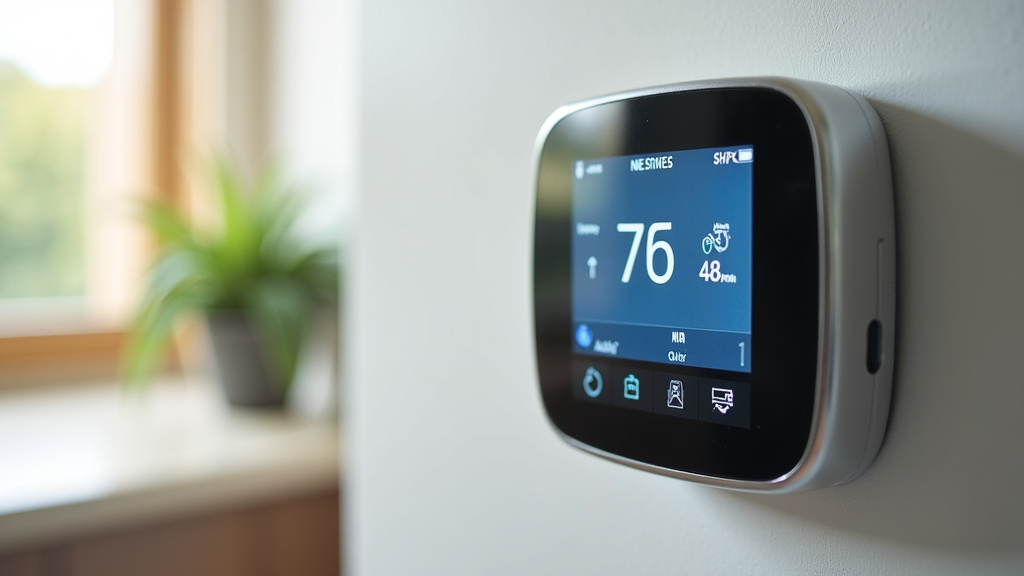
- Check your smart thermostat display: Many smart thermostats show the current indoor RH.
- Use the thermostat’s app: The companion app usually provides real-time and historical humidity data.
- Use a standalone hygrometer: You can buy inexpensive standalone devices to verify readings or monitor rooms without a thermostat.
Conclusion
You’ve learned how your smart thermostat acts as a humidity manager for your home. It uses sensors to measure moisture and communicates with your HVAC system to either dehumidify or humidify. This smart control helps create a more comfortable, healthier living space and can even protect your home’s structure and belongings. By understanding these functions, you can optimize your thermostat’s settings for better indoor air quality. To get started, check your thermostat’s current humidity reading and explore its app for personalized settings.
Frequently Asked Questions
Can my smart thermostat control humidity without a separate humidifier or dehumidifier?
Yes, your smart thermostat can manage humidity using your existing air conditioner. When humidity is too high, it can run your AC longer to remove moisture from the air. However, to actively add moisture (humidify), you typically need a separate whole-home humidifier connected to your HVAC system.
How accurate are the humidity sensors in smart thermostats?
Most modern smart thermostats use built-in hygrometers that are generally accurate for home use. For the most precise readings, especially in larger homes, consider using optional external sensors in different rooms or verifying with a standalone hygrometer.
What is the ideal humidity level for my home?
Experts and organizations like the EPA generally recommend maintaining indoor relative humidity between 30% and 50%. Your smart thermostat can be programmed to aim for a specific target range within this comfortable and healthy zone.
Will my smart thermostat automatically adjust humidity or do I need to set it up?
Your smart thermostat’s humidity control won’t work automatically without your input. You’ll need to access your thermostat’s settings, either on the device itself or through its mobile app, to set your desired humidity level or range.
How can I tell if my smart thermostat is actually controlling humidity?
You can check your smart thermostat’s display or companion app to see the current relative humidity (RH) reading. If it’s above or below your set target, and the thermostat is calling for heating or cooling, it’s likely working to adjust the humidity.


