What Is an Auto Changeover Thermostat?
An auto changeover thermostat switches between heating and cooling automatically as indoor temperature moves outside a set range, called the deadband. It helps manage both systems from one thermostat without requiring you to change modes by hand.
On this page (8 sections)
- What does auto changeover mean on a thermostat?
- How does an auto changeover thermostat use a deadband?
- When is automatic changeover useful?
- What should you check before turning on auto changeover?
- Why might an auto changeover thermostat switch too often?
- Is an auto changeover thermostat the same as a temperature controller?
- How do you choose between auto, heat, and cool?
- What is an auto changeover thermostat best for?
An auto changeover thermostat switches between heating and cooling automatically as indoor temperature moves outside a set range, called the deadband. It helps manage both systems from one thermostat without requiring you to change modes by hand.
The thermostat needs separate heat and cool set points, and the gap between them matters. A suitable gap gives the temperature room to move before the thermostat calls for the other system.
What does auto changeover mean on a thermostat?
Auto changeover means one thermostat can call for heat or cooling as needed. In automatic mode, it compares the indoor temperature with your heating and cooling set points, then selects the mode that can move the room toward its target.
For example, if the room gets colder than the heat set point, the thermostat can call for heat. If the room warms past the cool set point, it can call for cooling.
The thermostat does not usually run heating and cooling at the same time. Its controls use a temperature gap to keep the systems from competing, though the exact behavior depends on the thermostat and HVAC setup.
If you're learning what a thermostat controls overall, see What Is the Purpose of a Thermostat? A Practical Guide.
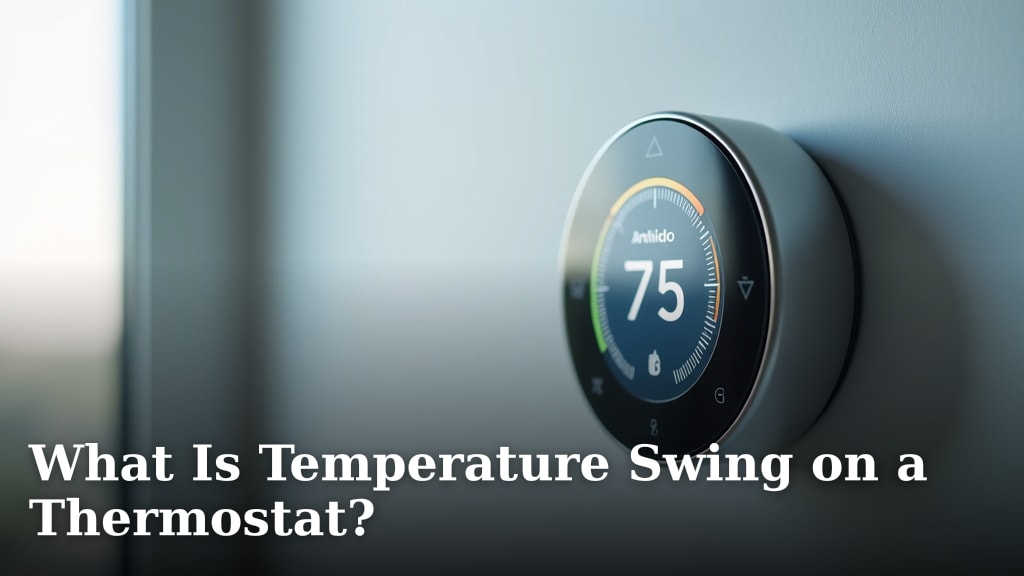
A thermostat uses its temperature reading to decide when to call for heating or cooling.
How does an auto changeover thermostat use a deadband?
A deadband is the gap between the heating and cooling set points. It gives indoor temperature room to move between the point where heating stops and the point where cooling starts.
Suppose you set heat to 68°F and cooling to 74°F. The 6°F gap is the deadband: the thermostat can heat if the room drops below the heat setting and cool if it rises above the cool setting.
The numbers are an example, not a recommended setting for every home. Follow your thermostat and HVAC instructions, and choose set points that suit your comfort needs and equipment.
What happens if the deadband is too narrow?
A narrow deadband leaves little room between heating and cooling calls. Small temperature changes can then move the reading across a set point sooner, which may make the thermostat switch modes more often than you expect.
A wider gap reduces the chance of close-together calls, but it also allows a broader temperature range indoors. Use the deadband setting your thermostat supports, and avoid changing installer settings unless you understand what they control.
This range is related to temperature swing, the amount a room's temperature moves around a thermostat setting. For a closer explanation, read What Is Temperature Swing on a Thermostat?.
Is deadband the same as temperature swing?
No. Deadband separates the heating and cooling set points, while temperature swing describes temperature movement around a set point.
The terms both involve temperature gaps, but they refer to different thermostat behavior.
Some thermostats use terms such as differential or temperature separation for related settings. Check your model's manual before adjusting a setting, since names and controls vary.
When is automatic changeover useful?
Automatic changeover is useful when your home may need heat and cooling on the same day. It can handle temperature shifts without you switching modes each time the indoor temperature crosses a set point.
This may suit places where outdoor temperatures vary widely between morning and afternoon, or homes where one room warms more quickly than others. It can also help when you want the thermostat to manage both modes around a schedule.
Automatic mode is not necessary in every season. If you need only heat during cold weather or only cooling during hot weather, selecting that single mode may make the system's behavior easier to understand.
Can room sensors affect when the system changes modes?
Room sensors can give a compatible thermostat readings from locations beyond the thermostat itself. That can matter when a hallway reading doesn't reflect the bedroom or living room where you spend time.
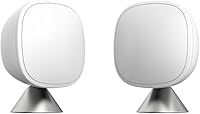
The ecobee SmartSensor 2-Pack sends temperature readings and occupancy information to an ecobee Smart Thermostat. It can help prioritize a room's temperature when that room is occupied, if you use a compatible thermostat.
A sensor doesn't set the heat and cool deadband by itself. Check thermostat compatibility and the available room-priority settings before choosing a sensor.
A thermostat and a remote sensor also have different roles. See Thermostat vs Temperature Sensor: What Is the Difference? for how each one fits into a home temperature setup.
What should you check before turning on auto changeover?
Confirm that your thermostat and HVAC system support both heating and cooling before using auto changeover. Then check that the thermostat is configured for the correct equipment and that its heat and cool set points leave a sensible gap.
Look at your thermostat's display and manual for an Auto mode, separate heat and cool settings, and any deadband or temperature separation control. Some models use different names or limit how close the two set points can be.
If your system has a heat pump, multiple heating stages, or other specialized equipment, use the setup instructions for your model. For information about its emergency heat mode, see EM Heat explained.
Incorrect equipment configuration can make calls behave differently from what you expect.
For a programmable model, the schedule can change target temperatures during the day. Review how to program a White Rodgers thermostat if you need help setting a schedule on that brand.
Can a thermostat temperature reading cause unexpected changeover?
Yes, the thermostat's reading affects when it calls for heat or cooling. A thermostat near a draft, direct sunlight, or a warm appliance may read differently from the rooms where you want comfort.
If the reading seems off, compare it with a separate thermometer placed nearby and give both devices time to settle. A sensor can report a different room temperature, but it can't correct the thermostat's equipment setup or wiring.
For basic system control, the Sensi Smart Thermostat offers Wi-Fi access, scheduling, usage reports, and equipment alerts. Its installation instructions describe compatibility and wiring checks for the equipment in your home.
Check compatibility before installation, especially if you're unsure about your wiring or system type. Follow the thermostat's installation guide, and contact a qualified HVAC technician if the wiring does not match its instructions.
Why might an auto changeover thermostat switch too often?
Frequent switching can happen when the set points are close together or the thermostat's temperature reading changes quickly. Schedule changes, sensor placement, and system setup can also affect when the thermostat calls for each mode.
Check the heat and cool settings first. If the gap between them is small, use the thermostat's instructions to set a wider deadband within the range it allows.
Also check whether a schedule or app is changing the set points. If the display shows a cooling delay or “Cool On” message after a mode change, see Why Is My Thermostat Blinking Cool On? for possible reasons and next steps.
Don't change wiring to address a temperature gap. If the system runs the wrong mode, cycles unusually, or doesn't respond to thermostat settings, follow the HVAC and thermostat manuals or ask a technician to inspect the setup.
Is an auto changeover thermostat the same as a temperature controller?
No. A home auto changeover thermostat is designed to control compatible HVAC heating and cooling, while some temperature controllers switch a specific heating device on and off.
The equipment and control purpose determine whether a device fits your home system.
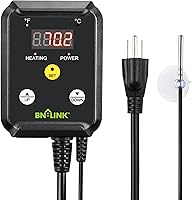
The BN-LINK Reptile Thermostat Temperature Controller is intended for heating devices such as heat mats and heat lamps. Its probe reads temperature for that controller, and its instructions specify a 40–108°F range and a maximum 1000W load.
This type of controller isn't a substitute for an HVAC thermostat with automatic heat and cool changeover. Use it only with compatible heating equipment and within its stated load limits.
How do you choose between auto, heat, and cool?
Choose Auto when you want the thermostat to manage both heating and cooling, Heat when you want heating only, and Cool when you want cooling only. Your HVAC instructions and local conditions should guide which modes are available and appropriate.
Auto can be convenient during changing weather, provided the deadband is set correctly. A single mode can be simpler when you know the home needs only heating or cooling.
If the thermostat's controls stop responding, a reset may clear some settings, but it can also remove saved schedules or configuration. Follow the instructions for your exact model, such as how to reset a Lux thermostat or how to reset a Trane thermostat.
What is an auto changeover thermostat best for?
An auto changeover thermostat suits a home with compatible heating and cooling when indoor temperatures can cross both set points during a day. Set the heat and cool targets with enough separation to avoid frequent mode changes, using the thermostat manual as your guide.
If different rooms have different temperatures, consider whether compatible room sensors can help the thermostat account for the spaces you use. For a dedicated heat mat or heat lamp, choose a device designed for that heater instead of a whole-home thermostat.
Use Auto when you want both modes managed by one control. Choose Heat or Cool when you want only one mode active, and investigate unusual switching by checking the settings, schedule, and system configuration.
Frequently asked questions
What does auto changeover mean on a thermostat?
Auto changeover means the thermostat can call for heating or cooling based on indoor temperature and your set points. A deadband keeps it from switching between the two modes too often.
Check the thermostat manual for how to set the heat and cool temperatures and whether automatic changeover is available.
What is the deadband on an auto changeover thermostat?
The deadband is the temperature gap between the heating and cooling set points. If the gap is too small, the system may switch modes often; a wider gap reduces overlap but allows a broader indoor temperature range.
The thermostat manual may call this setting a differential or temperature separation.
Should I leave my thermostat in auto changeover?
Use auto changeover when your home needs both heating and cooling at different times and your thermostat is configured for both systems. If you prefer one mode for the season, or your equipment manual advises against automatic mode, set the thermostat to heat or cool instead.
Why does my thermostat switch between heat and cool?
A thermostat may switch between heat and cool when indoor temperature crosses the set points for each mode. A narrow deadband, schedule changes, or readings from a location that differs from where you spend time can affect when that happens.
Check the set points and system configuration before changing wiring.