Smart vs Programmable Thermostats: Which Should You Choose? (October 2026)
Choose a smart thermostat for remote control and connected automation; choose a programmable thermostat for a set schedule without app-based features. Your HVAC system, comfort routine and interest in connected controls should guide the choice.
On this page (8 sections)
- Smart vs Programmable Thermostats: Which Should You Choose?
- Smart vs programmable thermostat: what changes day to day?
- Which thermostat fits your routine?
- Which controls do you want at the wall and on your phone?
- What should you check before buying?
- Which model fits each type of buyer?
- Smart thermostat vs programmable thermostat: which should you choose?
- Sources
Smart vs Programmable Thermostats: Which Should You Choose?
Choose a smart thermostat for remote control and connected automation; choose a programmable thermostat for a schedule you set and follow. In a smart thermostat vs programmable thermostat comparison, the right choice depends on how much control you want away from home and what your HVAC system supports.
A smart thermostat can combine scheduling with Wi-Fi, app control and other connected features. A programmable thermostat can be simpler: set the times and temperatures you want, then let it follow that routine.
If you want a plain explanation of connected controls, start with What Is a Smart Home Thermostat? Plainly Explained.
For a direct side-by-side view of connected versus conventional scheduling, use the comparison below.


Smart vs programmable thermostat: what changes day to day?
A smart thermostat gives you more ways to adjust a schedule, while a conventional programmable model is built around the schedule itself. The extra features matter when you want to change settings remotely or have the thermostat respond to your routine.
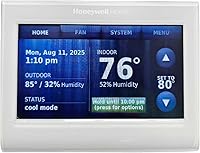
A programmable thermostat suits a repeatable week. The Honeywell Home X2P, for example, supports 5-2 day scheduling or a non-programmable option, and it runs on batteries without a C wire.
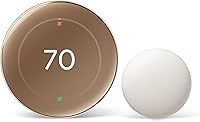
A smart model can add phone access and connected automation. Google Nest supports remote control through the Google Home app and can turn itself down when you leave; ecobee Smart Thermostat Enhanced adjusts when you're away or asleep.
What does “smart” add to a thermostat?
Smart features vary by model, but common differences include Wi-Fi access, app control and integrations with compatible voice assistants. Some models also offer occupancy-based adjustments, energy reports, alerts or maintenance reminders.
The Google Nest Thermostat offers remote control and schedule suggestions through Savings Finder. Sensi includes usage reports, equipment alerts and maintenance reminders, while ecobee adds occupancy sensing and humidity adjustments.
Connected controls depend on a working network and compatible devices. If you mainly want an easy way to set a weekly routine at the wall, the extra app features may not change your day.
What does programmable mean?
A programmable thermostat lets you set temperature changes for different times or days. That schedule can lower or raise the set point when you expect to be asleep or away, then return it before you need a different level of comfort.
Programming doesn't necessarily mean Wi-Fi or remote access. The Honeywell Home X2P has 5-2 scheduling, but no app control is among its stated features.
Which thermostat fits your routine?
Choose a programmable thermostat if your week follows a steady pattern; choose a smart thermostat if plans change or you want to make adjustments from your phone. Think about how often you'd actually use remote access before paying for connected functions.
A set schedule works well when your household leaves and returns at similar times most days. You can make the routine once and change it at the thermostat when your plans shift.
Smart controls can help when schedules vary. Google Nest offers remote temperature control, and ecobee can adjust based on occupancy and its learned routine.
When is a programmable thermostat enough?
A programmable model is enough when you want a schedule and straightforward controls. The Honeywell Home X2P offers a 5-2 schedule, a backlit display and a non-programmable option if you later decide not to use a schedule.
That approach can also suit a household that prefers not to rely on a phone app for temperature changes. You can manage settings at the thermostat itself.
Choose a schedule you can keep up with. If your routine changes every day, frequent manual edits can make a set-it-and-forget-it schedule less useful.
When does a smart thermostat make more sense?
A smart thermostat makes more sense if you want to adjust your home's temperature while you're out. It can also suit you if you value features such as occupancy sensing, usage reports or voice control.
Google Nest can turn itself down when you leave and lets household members change the temperature remotely. Sensi combines Wi-Fi with familiar button controls, so a connected thermostat doesn't always require a touch-only interface.
If you're weighing available features against your needs, read how to choose a smart thermostat. For a closer look at Wi-Fi models that still support scheduling, see our best WiFi programmable thermostat guide.
Which controls do you want at the wall and on your phone?
A programmable model keeps the main task at the thermostat; a smart model can add app and voice controls. Pick the control style you can use comfortably, including when the internet is unavailable.
The Honeywell Home X2P has a touchpad and backlit display. Sensi uses buttons, and its design is intended to fit the space of a traditional thermostat.
Smart models can still offer controls at the device, but the exact interface differs. Google Nest supports control through the Google Home app and compatible voice assistants, while ecobee uses its app and supported smart home systems.
Will you use remote access?
Remote access can be useful when you forget to change the temperature before leaving or want to adjust it before you return. For a related smart AC controller comparison, see Sensibo Air vs Air Pro.
It requires a working internet connection and Wi-Fi for the Nest's remote features and notifications.
If you rarely change settings outside the home, app access may not justify the added setup. A thermostat with a clear schedule and simple wall controls may be all you need.
Smart thermostats also differ in how they connect with a smart home. To compare another connected device choice, see smart thermostat vs smart plug.
Do you want voice control or automation?
Voice control can make small temperature changes easier if you already use a compatible assistant. Google Nest and Sensi list support for compatible voice assistants, while ecobee works with systems including Alexa, Google Assistant, Apple HomeKit and SmartThings.
Check the exact assistant and setup requirements for the model you choose. Voice control requires compatible equipment, and some features need internet access.
What should you check before buying?
Confirm HVAC compatibility and wiring before choosing between thermostat types. A feature-rich thermostat won't help if it can't control your heating and cooling equipment.
Start by identifying your system type and the wires connected to your current thermostat. Check the manufacturer's compatibility tool, then compare the result with the thermostat's wiring requirements.
The Nest Thermostat is designed to work without a C wire in most homes, but some systems need a C wire or compatible power accessory. Ecobee includes a Power Extender Kit for homes without a C wire, and Sensi says a C wire isn't required in most applications.
Read what HVAC systems work with smart thermostats before selecting a connected model. If your system has unusual wiring or multiple stages, ask a qualified HVAC professional to confirm the match.
Does a C wire determine the choice?
A C wire can affect which models are practical, but it doesn't decide the entire smart-versus-programmable question. Some smart thermostats can work without one in many homes, while other installations need an accessory or a different wiring arrangement.
The Honeywell Home X2P is battery powered and doesn't require a C wire, but its system compatibility is limited. It supports certain single-stage systems and isn't compatible with electric baseboard heat or multi-stage systems.
Don't assume two thermostats from the same broad category share the same wiring needs. Check the exact model and system match before you buy.
Should humidity features affect your choice?
Humidity control features may matter if your thermostat and HVAC equipment can use them. Ecobee Smart Thermostat Enhanced adjusts for humidity to help keep the home comfortable.
A thermostat's humidity feature doesn't mean it can manage every home's humidity on its own. Read how a smart thermostat controls humidity to understand what the feature can and can't do.
Which model fits each type of buyer?
Choose based on the feature you want most, then confirm compatibility. The model names below reflect distinct use cases rather than a claim that one thermostat is right for every home.
Google Nest Thermostat suits shoppers who want Wi-Fi, app scheduling and away adjustments. It also supports remote control and compatible voice assistants.
Sensi Smart Thermostat suits households that want app access and flexible scheduling with physical buttons. Its listed features include usage reports, equipment alerts and maintenance reminders.
Ecobee Smart Thermostat Enhanced suits people who value occupancy-based adjustments and humidity features. It includes a Power Extender Kit for homes without a C wire, and compatible SmartSensors can add room-by-room occupancy sensing.
Honeywell Home X2P suits buyers who want 5-2 scheduling without app control. Check its single-stage system limits carefully, especially if you have electric baseboard heat or multi-stage equipment.
For more model-specific information, read our ecobee Smart Thermostat Enhanced review and Sensi Touch vs Sensi Touch 2 comparison. Those pages can help narrow the choice once you know which controls and system features matter.
Smart thermostat vs programmable thermostat: which should you choose?
Pick a smart thermostat if you want app access, remote adjustments or connected automation; pick a programmable thermostat if a steady schedule and simple controls are enough. Then confirm that the model works with your HVAC equipment and wiring.
A changing routine gives smart features more room to help. A predictable week makes a conventional schedule a practical choice.
The best smart thermostat vs programmable thermostat choice is the one you'll use consistently. If you choose smart, compare the available features in our guide to choosing a smart thermostat.
Sources
Frequently asked questions
What is the main difference between a smart and programmable thermostat?
A programmable thermostat follows a schedule you set at the device, while a smart thermostat can add Wi-Fi access and connected features such as remote adjustments or automatic changes. Features vary by model, so compare the exact controls and schedule options before you choose.
Can a smart thermostat also be programmed?
Yes, smart thermostats can also use schedules. The Google Nest Thermostat supports an energy-efficient schedule in the Google Home app, and Sensi includes flexible scheduling; Wi-Fi and remote access add connected controls to those routines.
Does a programmable thermostat need Wi-Fi?
No, a basic programmable thermostat can follow its schedule without Wi-Fi. The Honeywell Home X2P uses 5-2 day scheduling and battery power, while smart features such as remote app control depend on a connected thermostat and a working network.
Will a smart thermostat work with my HVAC system?
It depends on the thermostat and your HVAC equipment. Check the manufacturer's compatibility tool before buying, and look for wiring needs too: some Nest installations require a C wire or compatible power accessory, while ecobee includes a Power Extender Kit for homes without one.
Is a smart thermostat worth choosing over a programmable one?
Choose a smart thermostat if remote access, occupancy-based adjustments or voice control would help your routine. A programmable model can be a better fit if you only need a weekly schedule and prefer a simpler setup without app-based control.