9 Best Smart Thermostats for Multiple Zones (November 2026)
The best smart thermostats for multiple zones include the Google Nest Thermostat for compatible zoned HVAC, the Sensi Smart Thermostat for simple multi-zone planning, and the ecobee Smart Thermostat Premium for room-by-room comfort.
On this page (5 sections)
The best multi zone smart thermostat for most compatible zoned systems is the Google Nest Thermostat, while ecobee Smart Thermostat Premium is better for room priority because it includes a SmartSensor. The right pick depends on how your home delivers heat and cool air.
A multi zone thermostat may operate separate HVAC zones through a compatible zone panel, or use remote sensors to give more weight to occupied rooms.
True zone control usually starts below the thermostat. Zone dampers, a zone control board and separate equipment or wiring let one area call for heating while another stays idle.
Room sensors report temperature or occupancy from another room. The main thermostat can then stop relying only on its wall location, which helps when a hallway differs from a bedroom at night or a kitchen in the afternoon.
Sensor support may be an add-on feature in a thermostat and app, while true zoning may already be built into the HVAC system. That difference affects cost and installation planning.
Choose by your HVAC zone controls, wiring and need for room sensors. Check compatibility first, then decide whether you need equipment level zoning or room level priority.
If you need readings away from the wall, compare the best thermostat with remote sensors. For two-zone Nest systems, see nest thermostat for dual zone.
Our picks at a glance
-
1

-
2

-
3

- 4
 Check it
ecobee Smart Thermostat Enhanced
Best for adding room sensors - 5
 Best for Alexa-centered homesCheck it
- 6
 Check it
Sensi Touch 2 Smart Thermostat Wi-Fi
Best for Sensi room sensors - 7
 Best for basic app controlCheck it
- 8
 Check it
Riseem WiFi Thermostats for Home Smart Thermostat
Best for single-stage systems - 9
 Check it
Honeywell Home T5 Smart Wi-Fi Thermostat
Best for flexible schedules
How we chose the best thermostats for multiple zones
The best thermostat for multiple zones must match the equipment before smart features matter. We compared HVAC compatibility, wiring needs, room sensor support, app control and scheduling.
A thermostat cannot create equipment that is not there. It can only work with the furnace, air conditioner, heat pump, zone panel, dampers and wiring already connected to it.
Our score weighs specs, features and buyer feedback against what you are shopping for. It does not turn a room sensor into a damper, and it does not make incompatible wiring compatible.
A true multi-zone setup may need a zone control board, dampers and separate thermostat connections. Each area can then request heating or cooling through its own controls.
A sensor-based setup may only change which room influences the temperature target. The HVAC equipment still runs as one system, even when the thermostat listens to more than one location.
Those systems solve different problems. One focuses on separate delivery of heated or cooled air, while the other focuses on better information about where people are.
For uneven room temperatures, extra information can still help. It may bring a bedroom closer to the chosen temperature when the hallway reading would otherwise stop the system too soon.
We also checked power needs, because wiring varies by house. Some models are designed to work without a C wire in many homes, while others require a C wire or a compatible power accessory.
Check that requirement at each thermostat location. A setup that suits one wall unit may not suit another if wiring or equipment differs.
App control, scheduling and maintenance features were compared next. Remote access, schedules, usage reports, equipment alerts and filter reminders help across several areas.
For temperature placement, read How Do Smart Thermostats Know the Temperature?. If humidity is uneven between zones, How Does a Smart Thermostat Control Humidity? explains what to check.
| Product | Best for | Power | Control | Included | Our score |
|---|---|---|---|---|---|
| Google Nest Thermostat | compatible zoned HVAC | Designed to work without a C wire in most homes; some zone-controlled systems need a C wire or compatible power accessory | Google Home app, button control and compatible voice assistants | Nest Thermostat, mounting screws, steel plate and documentation bundle | 9.7 |
| Sensi Smart Thermostat | simple multi-zone planning | C wire not required in most applications | App, buttons and voice control | Thermostat, mobile app, 2 AA batteries, mounting hardware, wire stickers and guides | 9.3 |
| ecobee Smart Thermostat Premium | room-by-room comfort | App, touchpad and compatible smart home systems | SmartSensor, power extender kit, trim plate, backplate, labels, screws, plugs and quick start guide | 9.2 | |
| ecobee Smart Thermostat Enhanced | adding room sensors | App and compatible voice assistants | Thermostat, power extender kit, trim plate, backplate, labels, screws, plugs and quick start guide | 9.1 | |
| Amazon Smart Thermostat | Alexa-centered homes | C wire required | Alexa app, Alexa voice control and select Echo devices | 9.0 | |
| Sensi Touch 2 Smart Thermostat Wi-Fi | Sensi room sensors | Common wire required | Touch, app and voice control | 8.9 | |
| Sensi Lite Smart Thermostat | basic app control | Designed to work without a C wire in most homes; some systems need a C wire or compatible power accessory | App, touch and voice control | Thermostat, 2 AAA batteries, mounting hardware, wire labels and installation guide | 8.9 |
| Riseem WiFi Thermostats for Home Smart Thermostat | single-stage systems | 24V C-wire required; cannot run on batteries | 8.8 | ||
| Honeywell Home T5 Smart Wi-Fi Thermostat | flexible schedules | C-wire power adapter required | Touch control and smartphone or tablet control | 8.4 |
Best smart thermostats for multiple zones
The Google Nest Thermostat leads this group for compatible zoned HVAC, while ecobee and Sensi offer stronger room-sensor paths. The lower-ranked models can still work well when their wiring and equipment limits match your home.
Google Nest Thermostat: Best for compatible zoned HVAC
- Wi-Fi
- Programmable schedule
- Remote control
- HVAC monitoring
- Designed to work without a C wire in most homes
The Google Nest Thermostat combines remote control, scheduling and HVAC alerts in a compact wall-mounted unit. Its C-wire limits matter for zone-controlled systems, so confirm compatibility before buying.
Pros
- Strong score for this topic
- Remote control from phone, laptop or tablet
- HVAC monitoring and maintenance reminders
Cons
- Some zone-controlled systems need a C wire
- Compatibility depends on the HVAC setup
The Google Nest Thermostat is the top pick when your zone-controlled HVAC system passes its compatibility check. Google says the thermostat is designed to work without a C wire in most homes, but zone-controlled systems are among the cases that may need a C wire or another compatible power accessory.
You can set an energy-efficient schedule in the Google Home app and adjust the temperature from a phone, laptop or tablet. The thermostat can also turn itself down when you leave and provide HVAC monitoring alerts and maintenance reminders for eligible systems.
Its Wi-Fi connection and voice control work well for a connected home, with support for Google Assistant, Alexa and Matter-certified voice assistants. The included mounting screws and steel plate help with wall installation.
Choose this model when the main goal is connected control of compatible HVAC zones. Use Google's compatibility checker before buying, especially if your home has heating-only, cooling-only, heat pump or zone-controlled equipment.
Sensi Smart Thermostat: Best for simple multi-zone planning
- Wi-Fi
- DIY installation guidance
- Flexible scheduling
- Usage reports
- C wire not required in most applications
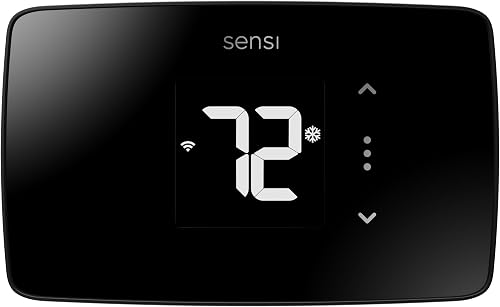
The Sensi Smart Thermostat suits buyers who want familiar buttons, app control and clear installation guidance. It can be a practical choice when each zone has compatible wiring and equipment.
Pros
- C wire not required in most applications
- Built-in level and step-by-step app instructions
- Usage reports and maintenance reminders
Cons
- Zone performance depends on HVAC compatibility
- Button-based design is less screen-focused
The Sensi Smart Thermostat is a strong choice for simple controls across compatible zones. Its button design fits the feel and space of a traditional thermostat, while the app adds remote access, flexible scheduling and usage reports.
That familiar layout is practical at the wall. People who already know how a thermostat works can change settings without learning a new touchscreen routine.
A C wire is not required in most applications. You still need to confirm wiring for each thermostat and the equipment controlled by each zone.
The built-in level and step-by-step app instructions support DIY installation. A level helps the unit sit straight, and guided steps reduce guesswork when moving wires.
Sensi also provides equipment alerts and filter replacement reminders. Those features help keep separate heating and cooling areas on a regular maintenance schedule.
Usage reports add context after installation. They show how the system has been running, which helps when you compare comfort and energy use across the home.
Voice and app control give options beyond the wall. You can adjust temperature from another room or away from home, then use the buttons at the thermostat.
This model suits buyers who value clear guidance and straightforward daily use. It fits multiple compatible thermostat locations better than a system that needs advanced room sensing from one wall unit.
Before ordering, check each zone for compatibility and wiring. That confirms whether this simple approach meets the needs of every area you plan to control.
ecobee Smart Thermostat Premium: Best for room-by-room comfort
- Included SmartSensor
- Occupancy sensing
- Built-in air quality monitor
- Power Extender Kit
- Built-in Siri or Alexa speaker
The ecobee Smart Thermostat Premium is the strongest room-priority pick because one SmartSensor is included. It helps direct comfort toward occupied rooms, although that is different from controlling separate HVAC zones.
Pros
- Included SmartSensor
- Built-in air quality monitor
- Power Extender Kit for homes without a C wire
Cons
- Room sensors do not replace separate HVAC zone controls
- Siri requires an Apple home hub
The ecobee Smart Thermostat Premium is the best room-by-room comfort pick because it includes one SmartSensor. The sensor detects which rooms are being used and helps adjust comfort there instead of relying only on the hallway reading.
That sensor does not automatically create separate HVAC zones. True zone control still depends on the home equipment and controls.
Premium includes a Power Extender Kit for homes without a C wire, a trim plate and a built-in air quality monitor. The kit gives a power path when existing wiring lacks a C wire, and the trim plate covers the area left by an older unit.
Occupancy sensing can adjust comfort when people are home, away or sleeping. The built-in speaker supports Siri or Alexa, and the ecobee app provides remote temperature, vacation and energy controls.
The air quality monitor can alert you when air quality drops, offer tips to improve it, and remind you to change the furnace filter.
Confirm HVAC compatibility, wiring and power needs before choosing Premium. It is most useful when the hallway reading does not reflect the rooms where people spend most time.
ecobee Smart Thermostat Enhanced: Best for adding room sensors
- Occupancy sensing
- Remote app control
- SmartSensor support
- Power Extender Kit
- Works with Alexa, Google Assistant, Apple HomeKit and SmartThings
The ecobee Smart Thermostat Enhanced fits homes that want room-priority control but already know they need to add SmartSensors separately. Its occupancy sensing and app support help manage comfort across commonly used rooms.
Pros
- SmartSensors can be added for room-by-room comfort
- Power Extender Kit included
- Remote control through the ecobee app
Cons
- SmartSensors are sold separately
- Compatible with fewer HVAC systems than Premium
The ecobee Smart Thermostat Enhanced suits homes that want room-by-room comfort without an included sensor. It supports ecobee SmartSensors, sold separately, and occupancy sensing can detect when people are home.
You can start with the thermostat alone, then add sensors for rooms that need most attention. That separate path gives control over the final setup.
It is compatible with 90% of HVAC systems and includes a Power Extender Kit for systems without a C wire. It also includes a trim kit, backplate, labels, screws, plugs and a quick start guide.
You can control it through the ecobee app or compatible Alexa, Google Assistant, Apple HomeKit and SmartThings systems. Automatic adjustments can respond to schedules, occupancy, local weather and grid activity through eco+.
Remote control lets you check temperature, set a vacation or review energy use from a smartphone, tablet or Apple Watch.
SmartSensors are not included. If room priority is the main goal, plan sensor cost and placement from the start, or pick Premium for an included SmartSensor and air quality monitor.
Amazon Smart Thermostat: Best for Alexa-centered homes
- Works with Alexa and Ring
- C-wire required
- Echo device temperature readings
- Presence detection
- Alexa app control
The Amazon Smart Thermostat is a good fit when Alexa already manages your home. Select Echo devices or an Amazon Smart Air Quality Monitor can provide temperature or presence readings for comfort zones, but the C-wire requirement must be met.
Pros
- Useful with existing Alexa devices
- Supports comfort zones through select devices
- Remote control in the Alexa app
Cons
- C wire required
- Zone setup depends on compatible Alexa equipment
The Amazon Smart Thermostat works best in an Alexa-centered home with the required C wire. Alexa can switch between home, away and sleep temperatures, and the Alexa app lets you adjust settings from anywhere.
It can create comfort zones through select Echo devices or an Amazon Smart Air Quality Monitor. Those devices can contribute temperature or presence readings without a separate thermostat on each wall.
Amazon says it works with Alexa and Ring. That ecosystem helps when Alexa already manages lights, routines or doorbell functions.
The app guides installation, but equipment and wiring still need to match requirements. Guided steps do not remove the need for a C wire or compatible HVAC system.
Rebates may be available through an energy provider after purchase. Details depend on your area and provider, so check the information sent after ordering.
Choose this model when Alexa is already part of your home controls. Skip it if your wiring lacks a C wire or if you need room readings without compatible Alexa equipment, since comfort zones here depend on those devices rather than a traditional zone panel.
Sensi Touch 2 Smart Thermostat Wi-Fi: Best for Sensi room sensors
- Compatible with Sensi Room Sensors
- Supports up to 15 room sensors
- Touchscreen
- Wi-Fi
- C wire required
The Sensi Touch 2 is the best Sensi option when you want to add several room sensors over time. It supports up to 15 Sensi room sensors, but the common wire is required and the sensors are sold separately.
Pros
- Supports up to 15 room sensors
- Touchscreen control
- Usage reports and maintenance reminders
Cons
- Common wire required
- Room sensors cost extra
The Sensi Touch 2 Smart Thermostat Wi-Fi is the right Sensi pick when several room sensors are part of your plan. It can pair with up to 15 Sensi room sensors, sold separately, to help balance temperatures across the home.
That capacity suits larger homes or homes with many rooms that feel too warm or too cool. You can place sensors where the hallway reading does not tell the whole story.
The common wire is required, so inspect the wiring before planning installation. Power needs should be confirmed before the old thermostat is removed.
Its app provides setup guidance, and the touchscreen gives you a direct way to change settings at the wall. Sensi includes flexible scheduling, remote access, usage reports, equipment alerts and filter replacement reminders.
Scheduling can set different temperatures for workdays, sleep and time away. Remote access lets you adjust the setting from a phone or tablet when plans change.
Room sensors are sold separately, so the total setup depends on how many rooms you want to cover. Start with the rooms that are used most or feel least comfortable, then decide whether more sensors are needed.
Choose Touch 2 when you want the largest stated room-sensor capacity in this group. It is less suitable for a no-C-wire installation, and the sensors add to the total setup.
If your home has a common wire and several rooms need attention, this model gives you room to expand over time.
Sensi Lite Smart Thermostat: Best for basic app control
- Wi-Fi
- Flexible scheduling
- Geofencing
- Remote access
- C wire not required in most homes
The Sensi Lite is a simple choice for app-based control across compatible thermostats. It does not include room sensors, so it suits homes where each zone already has suitable HVAC control or where basic remote scheduling is enough.
Pros
- C wire not required in most homes
- Geofencing and flexible scheduling
- Lightweight wall-mounted design
Cons
- No room sensor included
- Some systems need a C wire or power accessory
The Sensi Lite Smart Thermostat is a basic multi-zone option for homes that mainly need app control and scheduling. It supports flexible schedules, geofencing, remote access and usage reports through its Android and iOS app.
Geofencing uses phone location to help the thermostat respond when you leave or return. That can reduce the need to set a separate away schedule every time your routine changes.
Sensi designed it to work without a C wire in most homes. Heating-only, cooling-only and heat pump systems may still need a C wire or another compatible power accessory.
That warning should be checked for each location. Wiring can differ between floors or between heating and cooling equipment, so one successful installation does not guarantee the next one.
The thermostat does not include room sensors. That makes it a better fit when each zone already has suitable HVAC control or when you want remote adjustments without adding room-priority hardware.
Its lightweight wall-mounted design uses 2 AAA batteries that are included. Battery power can help in homes where a C wire is not present, but system compatibility still comes first.
The app also supports usage reports and maintenance reminders. Those features help you track how each compatible thermostat has been running over time.
Choose Sensi Lite for straightforward connected control at several compatible thermostat locations. It suits buyers who want scheduling and remote access without a more complex sensor plan.
If you want to balance rooms through sensors, the Sensi Touch 2 is the stronger choice. That model supports Sensi room sensors, while Lite focuses on basic app control.
Riseem WiFi Thermostats for Home Smart Thermostat: Best for single-stage systems
- Single-stage 1 heat/1 cool support
- 7-day scheduling
- 2.4 GHz Wi-Fi
- App remote control
- Backlit LCD
The Riseem is only a multiple-zone candidate when every controlled area uses a compatible conventional single-stage system. It does not support multi-stage systems or heat pumps, so wiring and equipment checks are essential.
Pros
- 7-day programming
- 2.4 GHz Wi-Fi app control
- Backlit LCD
Cons
- Does not support multi-stage systems
- Does not support heat pumps
- C wire required
The Riseem WiFi Thermostat is only suitable for a narrow class of systems: conventional single-stage 1 heat and 1 cool gas, oil or electric systems with air conditioning. It requires a 24V C wire and cannot run on batteries.
That narrow fit is the most important point in this review. Every area you plan to control needs to match the same single-stage requirements.
It supports 2.4 GHz Wi-Fi, app control and 7-day programming. The app lets you adjust temperatures remotely, set schedules and monitor the system in real time.
The backlit LCD can be read in dark rooms, and the thermostat is designed for heating and cooling controls within its stated wiring limits. That display is simple to read in a hallway, basement or bedroom.
Riseem does not support multi-stage systems, heat pumps, heat-only systems, cool-only systems, line-voltage systems, PTAC units, mini splits or RV air conditioners. Those limits make it a poor general choice for complex multi-zone homes.
The wiring terminals listed for this model are RH, RC, W, Y, G and C. If your wiring uses other terminals or a different system type, this thermostat is not the right match.
A 5 GHz network is not compatible with this model. Your home Wi-Fi needs to support the 2.4 GHz band for the app connection to work.
Choose it only when every relevant system matches the single-stage requirements. Confirm the RH, RC, W, Y, G and C wiring before ordering.
That careful check is not optional for this model. Incorrect system matching can lead to abnormal working, according to the product information.
Honeywell Home T5 Smart Wi-Fi Thermostat: Best for flexible schedules
- 7-day scheduling
- Geofencing
- Auto home and away mode
- Energy reports
- Apple HomeKit and Alexa support
The Honeywell Home T5 fits buyers who want flexible scheduling or location-based temperature changes. It can help coordinate compatible areas, but its C-wire power adapter requirement should be checked first.
Pros
- 7-day scheduling or geofencing
- Monthly energy reports
- Works with Alexa, Google Assistant and Apple HomeKit
Cons
- C-wire power adapter required
- Heating-only oil systems need a C wire
The Honeywell Home T5 Smart Wi-Fi Thermostat suits homes that want 7-day scheduling or location-based temperature control. Its geofencing feature uses smartphone location to help switch between home and away settings.
That location-based approach is useful when your routine changes from day to day. The thermostat can respond to being away or returning home without a separate manual change.
The T5 requires a C-wire power adapter. It works with most heat and cool oil furnace systems, while heating-only oil systems need a C wire.
That power requirement should be checked before installation. It applies to each zone, especially when oil equipment is involved.
You can control the thermostat by touch or through a smartphone or tablet. It also supports Alexa, Google Assistant and Apple HomeKit, with monthly energy reports and personalized energy tips.
Monthly reports can show how heating and cooling have been used over time. Personalized tips can then point to small schedule changes that may reduce energy use.
Auto home and away mode can help the system save when the home is empty. Vacation mode gives you another option when you will be away for a longer period.
Choose the T5 when flexible scheduling matters more than room-sensor support. It fits buyers who want a choice between a 7-day schedule and location-based control.
Confirm the power setup for every zone before installation, especially if the home uses oil equipment. That check helps the T5 fit your system instead of forcing a change during installation.
What is the difference between a multi-zone thermostat and room sensors?
A multi-zone thermostat controls separate HVAC areas when the system has compatible zone equipment. Room sensors give the thermostat more temperature or occupancy information from rooms away from the wall unit.
A zone system may use dampers to direct air, a zone panel to coordinate requests, and separate connections for each area. A sensor system usually keeps one set of heating and cooling equipment.
The thermostat changes its decision based on better information from rooms being used. That can reduce the effect of a hallway reading.
ecobee Premium includes one SmartSensor, and ecobee Enhanced supports added SmartSensors. Sensi Touch 2 supports up to 15 Sensi room sensors.
Those options can give a warm bedroom more priority, yet the whole system still delivers air through existing ducts. They do not automatically add dampers or independent equipment.
Room priority and true zone control sound similar, but they solve different problems. One improves information, while the other controls delivery to separate areas.
Amazon uses select Echo devices or an Amazon Smart Air Quality Monitor to create comfort zones through Alexa. Another device can report temperature or presence from a different room for a comfort routine.
That setup depends on devices you own or add, rather than a separate thermostat on the wall. A conventional zone panel instead coordinates dampers and equipment at the HVAC level.
Ask whether your home already has zone equipment, or whether you only need better readings from occupied rooms. If you already have dampers and a zone panel, choose a thermostat designed for that system.
If not, room sensors may be the more realistic path.
How should you check wiring for multiple thermostats?
Check wiring at every thermostat location, then match those wires to the equipment and zone panel. A thermostat that works without a C wire in one part of the home may still need one in a zone-controlled or heat pump system.
Take a photo of existing wiring before removing anything. That photo helps you compare old connections with the new thermostat during installation.
Turn off HVAC power before working on wires. That safety step should come before any removal, mounting or testing.
Google Nest Thermostat and Sensi Lite are designed to work without a C wire in many homes. Amazon Smart Thermostat requires one, Sensi Touch 2 requires a common wire, and Riseem requires a 24V C-wire power supply.
Those requirements are not interchangeable. A model that can work without a C wire in most homes may still need a power accessory for heating-only, cooling-only or heat pump systems.
ecobee models include a Power Extender Kit for systems without a C wire. You should still confirm HVAC compatibility.
Honeywell Home T5 requires a C-wire power adapter. Check that requirement for every zone, especially with oil equipment.
Riseem needs RH, RC, W, Y, G and C, and does not support multi-stage systems or heat pumps. Compare terminals at each location with the exact requirements for the model you plan to buy.
Also check the number of heating and cooling stages. A thermostat that matches one zone may not match another if equipment or wiring changes between floors.
Use our guide to What Wires Does a Smart Thermostat Need? before removing an existing thermostat. Keep the old thermostat and wiring photo until the new unit works, so you have a reference if a wire needs to be moved.
How do you choose the best thermostat for multiple zones?
Choose the Google Nest Thermostat when your compatible zone-controlled HVAC system needs scheduling, remote access and HVAC monitoring. Check compatibility first, especially for zone-controlled, heating-only, cooling-only or heat pump systems.
Pick ecobee Smart Thermostat Premium when room priority and an included SmartSensor matter most. It also includes a Power Extender Kit and a built-in air quality monitor.
Choose ecobee Smart Thermostat Enhanced when you want to add SmartSensors over time. Its Power Extender Kit and app control make it a flexible base for a sensor plan.
Pick Sensi Touch 2 if you want to add up to 15 Sensi room sensors and have a common wire. That capacity suits homes with several rooms that need separate attention.
Choose Amazon Smart Thermostat for an Alexa-centered home with a C wire and compatible Echo equipment. Select Echo devices or an Amazon Smart Air Quality Monitor can provide readings for comfort zones.
Choose Sensi Smart Thermostat for familiar buttons, app instructions and simple scheduling. Choose Sensi Lite for basic app control and geofencing without room sensors, designed to work without a C wire in most homes.
For a conventional single-stage system, Riseem can fit if every limitation matches, but it requires a 24V C wire and does not support multi-stage systems or heat pumps. For scheduling and geofencing, Honeywell Home T5 is worth considering after confirming the required power adapter.
Confirm wiring, power, zone controls and sensor needs, then pick the model that matches that setup.
Our top 3 picks at a glance
-
1
-
2
-
3
Frequently asked questions
What is the best multi zone smart thermostat?
The best multi zone smart thermostat depends on how your HVAC system creates zones. Google Nest Thermostat is the strongest pick for compatible zoned HVAC, while ecobee Smart Thermostat Premium is better for room-priority comfort because it includes a SmartSensor.
Check wiring and system compatibility before buying.
Can one smart thermostat control multiple zones?
One smart thermostat can control multiple zones only when the HVAC system, zone panel and thermostat are designed to work together. Room sensors can change which room gets priority, but they do not always operate separate dampers or independent heating and cooling equipment.
Confirm the complete system design first.
Are room sensors the same as HVAC zones?
No. A room sensor measures conditions or occupancy in another room and can help a compatible thermostat prioritize comfort there.
An HVAC zone usually has separate duct control, dampers or equipment.
The ecobee Premium includes one SmartSensor, while Sensi Touch 2 supports up to 15 Sensi room sensors sold separately.
Does a multi-zone smart thermostat need a C wire?
Sometimes. Google Nest Thermostat and Sensi models are designed to work without a C wire in many homes, but some zone-controlled systems need one or another power accessory.
Amazon Smart Thermostat requires a C wire, and Riseem requires a 24V C-wire power supply.
Check the wiring before installation.
What should I check before buying a smart thermostat for multiple zones?
Check the number of heating and cooling stages, heat pump status, zone panel, available wires and required power. Also confirm whether you need true zone control or simply room sensors.
The What HVAC Systems Work with Smart Thermostats? guide can help you organize those checks.