Sensi Touch vs Sensi Touch 2: Which Should You Choose? (October 2026)
Choose Sensi Touch 2 if you want to pair Sensi room sensors; choose the original Sensi Touch if you don't need that feature. Both are touchscreen, Wi-Fi thermostats with app control, flexible scheduling and a required C-wire.
On this page (7 sections)
- Sensi Touch vs Sensi Touch 2: what is the main difference?
- Which Sensi thermostat is easier to set up?
- Which one is better for uneven temperatures?
- How do the app and smart home features compare?
- Is the Sensi Touch 2 worth choosing over the original?
- Could a different thermostat fit your needs better?
- Which should you choose: Sensi Touch or Sensi Touch 2?
Choose Sensi Touch 2 if you want to use Sensi Room Sensors; choose the original Sensi Touch if you don't need them. Both models offer a color touchscreen, Wi-Fi app control, flexible scheduling and remote temperature changes, and both require a C-wire.
The practical difference in this Sensi Touch vs Sensi Touch 2 comparison is room sensor compatibility. Touch 2 works with Sensi Room Sensors, sold separately, while the product details for the original Touch don't describe that feature.
If you already have a Sensi thermostat, or you're replacing one, check your wiring before choosing either model. For an overview of the newer model's features, see our Sensi Touch 2 smart thermostat review.
 Best for straightforward room control
Sensi Touch Smart Thermostat by Emerson
 Best for room sensor support
Emerson Thermostats Sensi Touch 2 Smart Thermostat
Sensi Touch vs Sensi Touch 2: what is the main difference?
Sensi Touch 2 adds compatibility with Sensi Room Sensors, while both thermostats provide touchscreen controls and app-based scheduling. The sensors can help balance temperatures across rooms, but they are sold separately.
Room sensor support matters most when the temperature near the thermostat doesn't reflect how comfortable another room feels. Sensi says its Room Sensors can help you prioritize comfort where you need it and reduce hot and cold spots.
The original Sensi Touch has a color display, remote access through the Sensi app, usage reports and equipment alerts. If those features meet your needs, Touch 2's sensor support may not justify choosing it over the original.
What does Sensi Touch 2 add over Sensi Touch?
Sensi Touch 2 can work with Sensi Room Sensors to monitor room temperatures and humidity levels. You can choose to average temperature settings across sensors and thermostats, or prioritize the temperature in a particular area.
Those options are useful to consider if a bedroom, office or other room tends to feel different from the space where the thermostat is installed. They don't guarantee identical temperatures in every room, and sensor placement and your HVAC system still matter.
For details on the newer model, read our Sensi Touch 2 thermostat review. Before buying sensors, confirm that the exact sensor package and thermostat match your plan.
What stays familiar on the original Sensi Touch?
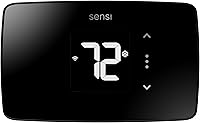
The original Sensi Touch has a large color display with easy-to-read temperatures and menus. It supports remote app control, flexible scheduling and usage reports, so you can manage settings when you're away from home.
Its product details include smart maintenance alerts and reminders such as filter replacement. Sensi also states that it won't sell your personal information to third parties.
See our Sensi Touch thermostat review for a closer look at the original model. If you're comparing another Sensi option, our Sensi Lite smart thermostat review covers that model separately.
Which Sensi thermostat is easier to set up?
Both models require a C-wire and have app-guided installation instructions. Touch 2's setup uses Bluetooth, while the original Touch highlights a built-in level and illuminated easy-click terminals.
Sensi Touch 2's app guides you through installation with custom instructions and universal Bluetooth technology for setup. That may suit you if you want a guided process through the phone app.
The original Sensi Touch includes a built-in level and illuminated terminals, and its app provides step-by-step instructions. Those features can help with mounting and wiring, but don't remove the need to check HVAC compatibility and follow the installation guidance.
Neither model is a safe fit just because the thermostat wires look similar. Confirm the wiring and equipment compatibility before you start, and get qualified help if you aren't sure how to handle your system.
Does either thermostat work without a C-wire?
No. Both Sensi Touch and Sensi Touch 2 require a common wire, or C-wire.
Check the wiring at your current thermostat and use Sensi's compatibility guidance to confirm what your HVAC system needs.
Don't assume a spare wire is connected at both ends just because you see one behind the thermostat. If your setup lacks a C-wire or the wiring is unclear, resolve that before ordering.
Which one is better for uneven temperatures?
Sensi Touch 2 is the better fit if you want to add room sensors to help manage differences across rooms. The original Touch's described features don't include that sensor compatibility.
The Touch 2 sensors can report room temperature and humidity, and the system can average settings across sensors and thermostats. You can also use the sensors to prioritize comfort where you need it most.
A thermostat can only manage the heating and cooling system it controls. Room sensors may help address where temperature is measured, but they don't change duct design or ensure every room will reach the same temperature.
If you don't have a room that consistently feels too warm or cool, the extra sensor option may not be useful. The original Sensi Touch can still provide remote app control, schedules and maintenance reminders without making room sensors part of your setup.
How do the app and smart home features compare?
Both Sensi generations support app control and remote adjustments, while listed voice assistant compatibility varies by model details. Check the exact model's supported platforms if voice control or a particular smart home system matters to you.
The original Sensi Touch lists Amazon Alexa, Apple HomeKit, Google Assistant, SmartThings and Vera compatibility. The Sensi Touch 2 details list Amazon Alexa, Google Assistant and SmartThings.
Both models let you create schedules and control home comfort through a mobile app. Touch 2's setup also uses Bluetooth, while its normal thermostat connection includes Wi-Fi.
Don't assume that every Sensi feature works the same way across voice assistants or smart home platforms. Confirm the exact integration you plan to use before choosing.
Is the Sensi Touch 2 worth choosing over the original?
Choose Touch 2 when room sensor support solves a problem in your home; otherwise, the original Touch covers the core smart thermostat features. Both offer scheduling, app control and a touchscreen, so the extra sensor option is the clearest reason to favor the newer generation.
Touch 2 suits homes where the thermostat's location doesn't represent comfort in other rooms. Its compatible sensors are sold separately, so include that additional device in your decision.
The original Touch may be a simpler match if you want remote control, schedules, usage reports and maintenance reminders without adding sensors. Its product details also call out a built-in level and illuminated terminals.
Our score weighs specs, features and buyer feedback against what you're shopping for. Scores distinguish how each option fits this comparison, but your wiring and comfort priorities should decide the final choice.
Could a different thermostat fit your needs better?
Consider another model if you need features outside the Sensi comparison, such as a customizable screen or compatibility with a different HVAC setup. Confirm the model's equipment requirements before making the switch.
The Honeywell Home RTH9585WF1004 has a customizable color touchscreen, flexible programming and monthly energy reports. It requires a C-wire and doesn't work with 120–240 V electric baseboard heat, so check your system type first.
If you're comparing smart controls for a ductless air conditioner, a thermostat may not be the right device category. Our Sensibo Air vs Air Pro comparison explains the differences between those controllers.
Which should you choose: Sensi Touch or Sensi Touch 2?
Pick Sensi Touch 2 if you want compatible room sensors; pick Sensi Touch if app control and scheduling are enough. Before choosing either one, confirm that your system has the required C-wire.
The Sensi Touch 2 vs Touch decision comes down to whether room-level temperature readings and prioritization will help in your home. If they will, account for the separately sold sensors; if they won't, the original Sensi Touch has the core smart controls covered.
Frequently asked questions
What is the difference between Sensi Touch and Sensi Touch 2?
The main stated difference is room sensor support: Sensi Touch 2 works with Sensi Room Sensors, sold separately, while the original Sensi Touch product details do not describe that compatibility. Both offer a touchscreen, Wi-Fi app control, scheduling and require a C-wire.
Are Sensi Touch and Sensi Touch 2 compatible with room sensors?
Sensi Touch 2 is compatible with Sensi Room Sensors, which can help balance temperatures and prioritize comfort in different areas. The sensors are sold separately.
The original Sensi Touch details here don't identify room sensor support, so choose Touch 2 if that feature matters.
Does Sensi Touch 2 need a C-wire?
Yes. Sensi Touch 2 requires a common wire, also called a C-wire.
The original Sensi Touch also requires one.
Check your current thermostat wiring and the compatibility guidance for your HVAC system before buying either model.
Should I choose Sensi Touch or Sensi Touch 2?
Choose Sensi Touch 2 if you expect to use Sensi Room Sensors to address uneven temperatures. Choose the original Sensi Touch if you want app control, scheduling and a touchscreen without that sensor feature.
For either one, confirm C-wire availability first.