6 Best Touchscreen Thermostats (November 2026)
The best touchscreen thermostats include the SunTouch SunStat CommandPlus Wi-Fi Thermostat for Floor for electric floor heating, the Honeywell TH8321WF1001 Touchscreen Thermostat Wifi Vision Pro for multi-stage systems, and the AprilAire 8920W Wi-Fi Programmable Color Touchscreen Thermostat for indoor air quality control.
On this page (11 sections)
- Our top picks for touchscreen thermostats
- Touchscreen thermostat comparison at a glance
- How we compared these touchscreen thermostats
- Is a touchscreen thermostat right for your home?
- Which touchscreen thermostat fits floor heating?
- How do I choose between app control and wall control?
- What display size and readability should I look for?
- What wiring and system checks should I do first?
- What setup and care steps help a touchscreen thermostat work well?
- What are the trade-offs between these six models?
- Our verdict on the best touch screen thermostat
The best touch screen thermostat for most homes is the Honeywell Home RTH9585WF1004, because it gives you a bright color touchscreen, app and voice control and a 7-day schedule in a compact case.
The SunTouch ranks first here only because it is the clear specialist for electric floor heating, with floor sensing that the others do not offer.
A touchscreen matters most when you change temperature often.
You can tap a new setting, check the schedule and read the current temperature without guessing at a dial position.
A large display also helps when you stand a few feet away or when guests use the control.
Our score weighs specs, features and buyer feedback against what you are shopping for.
That is why the floor heating specialist scores 9.1, while strong general models sit at 8 to 8.7.
Score is not a promise of fit for your system, so always check heating and cooling type first.
If you are new to digital controls, our guide on What Is a Digital Thermostat? Tips and Guidance explains the basics in plain terms.
It helps you decide whether you need programming, Wi-Fi or only a clear touch display.
Our picks at a glance
-
1
 Best for electric floor heating
SunTouch SunStat CommandPlus Wi-Fi Thermostat for Floor
9.1/10 our score
See it on Amazon -
2
 Best for multi-stage systems
Honeywell TH8321WF1001 Touchscreen Thermostat Wifi Vision Pro
8.7/10 our score
See it on Amazon -
3
 Best for indoor air quality control
AprilAire 8920W Wi-Fi Programmable Color Touchscreen Thermostat
8.6/10 our score
See it on Amazon
- 4
 Check it
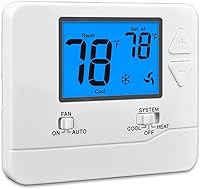
LUX P721UT 7-Day Touchscreen Programmable Universal 2-Heat/1-Cool
Best for simple scheduled control - 5
 Check it
LUX TX9600TS Programmable 7-Day Large Touchscreen Heating
Best for a large easy to read display - 6
 Check it
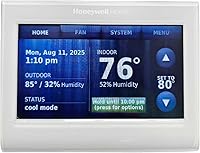
Honeywell Home RTH9585WF1004 Wi-Fi Smart Color Thermostat
Best for color display and app control
Our top picks for touchscreen thermostats
These six models cover floor heating, multi-stage equipment, indoor air quality, simple scheduling and color displays.
Use the system type you already have as your first filter, then compare screen size and control style.
SunTouch SunStat CommandPlus Wi-Fi Thermostat for Floor: Best for electric floor heating
- 4.3 inch capacitive touchscreen
- Wi-Fi and Watts Home app control
- Floor and air sensing control
- 7-day programmable schedule
Built for electric floor heating, with a large portrait touchscreen, floor sensing and remote control by app.
Pros
- Large 4.3 inch portrait display
- Floor and air sensing control
- Remote programming by app
Cons
- Made for electric floor heating systems
- Narrower fit for standard air systems
The SunTouch suits homes with electric floor heating where floor temperature matters as much as room air temperature.
Its 4.3 inch capacitive touchscreen sits in portrait orientation, so numbers and schedule details are easy to scan at a glance.
You can walk up and tap a change without opening an app.
Floor and air sensing control is the key difference here.
Floor sensing helps protect different flooring types, and the floor max setting limits how warm the floor can get.
Air sensing keeps room comfort in view at the same time.
The 7-day programmable schedule, away feature and energy use monitoring support daily routine control.
SmartStart technology adjusts the start of the floor warming system so the floor is warm at the scheduled time.
Outdoor temperature and weather display options add context without leaving the wall.
Remote access runs through the free Watts Home app for iOS and Android.
That makes this a strong pick if you want to adjust floor heating from another room or away from home.
The trade-off is focus: this is built for electric floor heating, not a standard furnace and air conditioner setup.
Honeywell TH8321WF1001 Touchscreen Thermostat Wifi Vision Pro: Best for multi-stage systems
- Large touchscreen display
- Wi-Fi control by Total Connect Comfort app
- Stages up to 3 heat / 2 cool
- Programmable schedule for each day
A large touchscreen Honeywell model aimed at multi-stage heating and cooling systems, with remote control by app.
Pros
- Large touchscreen display
- Up to 3 heat / 2 cool stages
- Remote control by app
Cons
- Capability is more than many homes need
- Check system stage needs before buying
This Honeywell model suits homes with more demanding heating and cooling equipment.
It supports stages up to 3 heat / 2 cool, which is more than a basic single-stage system needs.
If your equipment has multiple stages, that capacity can matter for comfort and run time.
The large touchscreen display makes daily changes quick.
You can program a schedule for each day of the week or change temperature at the wall.
The display size also helps at a distance, which is useful in a hallway or entry area.
Wi-Fi control runs through the Total Connect Comfort app.
You can control temperature remotely when you are away, then return to the touchscreen for quick local changes.
That mix of wall control and app control suits busy households.
At 4.96 x 1.14 x 4.65 inches, it needs a clear wall area and it uses 2 AAA batteries.
For a simple home, this level of stage support may be more than you need.
Our best honeywell touch screen thermostat guide gives more Honeywell options to compare before you choose.
AprilAire 8920W Wi-Fi Programmable Color Touchscreen Thermostat: Best for indoor air quality control
- Full color touch-screen display
- Wi-Fi with Aprilaire app
- Temperature, humidity, air cleaning and ventilation control
- Amazon Alexa and Google Assistant compatible
A wide color touchscreen that also manages humidity, air cleaning and fresh air ventilation when paired with Aprilaire equipment.
Pros
- Controls humidity and ventilation as well as temperature
- Voice assistant compatible
- Remote control by app
Cons
- Full value needs Aprilaire indoor air quality equipment
- Wide 7.1 inch width needs wall space
The AprilAire suits homes where humidity, air cleaning and ventilation matter along with temperature.
Its programmable full color touch-screen display shows temperature in a clear format, and the wide case gives the controls room to breathe.
At 7.1 inches wide, measure your wall space before you buy.
This model goes beyond heating and cooling.
AprilAire says it can manage temperature, humidity, air cleaning and fresh air ventilation when paired with Aprilaire whole-house equipment.
That makes it a fit for homes already using Aprilaire indoor air quality products.
Remote monitoring and control run through the Aprilaire Wi-Fi thermostat app on iOS and Android.
It is also compatible with Amazon Alexa and Google Assistant, so voice control can sit alongside touch control.
Features include auto-away mode, fan control, filter indicator and vacation mode.
The trade-off is ecosystem fit.
You get the most value when you own or plan to add Aprilaire equipment.
If you only need temperature control, a simpler touchscreen may cost less and take less wall space.
LUX P721UT 7-Day Touchscreen Programmable Universal 2-Heat/1-Cool: Best for simple scheduled control
- 7-day, 5/2-day or non-programmable options
- Easy-view backlight
- 2 or 4 periods per day
- Keypad lock
A straightforward touchscreen LUX with backlight, flexible scheduling choices and a keypad lock, without app control as the focus.
Pros
- Simple 7-day scheduling choices
- Backlight for easy reading
- Keypad lock for shared homes
Cons
- Less connected than the Wi-Fi picks
- 2-heat / 1-cool limits some systems
The LUX P721UT suits buyers who want touch control and scheduling without making the thermostat part of a smart home.
You can choose 7-day, 5/2-day or non-programmable operation.
That choice is useful if you want a full week schedule or prefer to set temperature on the spot.
The easy-view backlight helps you read the display in a dim hallway.
You can also choose 2 or 4 periods per day, so weekdays and weekends can follow different patterns.
A keypad lock helps prevent unauthorized adjustments in shared homes.
This model is listed as universal 2-heat/1-cool, and it works with universal heat pump and conventional heat/cool systems.
Dual power capability supports reliable operation, and it uses 2 AA batteries.
Wall mount keeps the install simple.
The trade-off is connectivity.
This is not the pick if remote app control is your main goal.
For straightforward touch scheduling, it pairs well with our best digital programmable thermostat roundup, which covers more non-touch options too.
LUX TX9600TS Programmable 7-Day Large Touchscreen Heating: Best for a large easy to read display
- Large touchscreen
- 7-day programmable schedule
- Heating and cooling control
- Touchpad control
A large touchscreen LUX for heating and cooling, with a different schedule for each day of the week.
Pros
- Large display for quick checks
- Different schedule for each day
- Simple heating and cooling role
Cons
- Fewer connected features than smart picks
- Large unit may stand out on a small wall area
The LUX TX9600TS suits buyers who want a large touchscreen for heating and cooling without a complex setup.
Its large touchscreen is the main reason to choose it.
You can read the setting from a step away and tap changes without hunting for small controls.
The 7-day programmable schedule lets you set a different plan for each day of the week.
That suits homes with set workdays, weekend routines or late shifts.
Heating and cooling control covers the two main jobs most households need.
At 5.38 x 3.38 inches in white plastic, it has a clear presence on the wall.
It uses 2 AA batteries and wall mounts in a standard spot.
Touchpad control keeps daily use direct: tap, check, and move on.
The trade-off is feature scope.
It does not match the app, voice and indoor air quality features of the connected picks here.
Choose it for display size and simple scheduling, and look elsewhere if remote control is a must.
Honeywell Home RTH9585WF1004 Wi-Fi Smart Color Thermostat: Best for color display and app control
- Customizable color touchscreen
- Wi-Fi with mobile app control
- 7-day programmable, Energy Star certified
- Amazon Alexa and Google Home compatible
A compact color touchscreen with app and voice control, monthly energy reports and flexible scheduling.
Pros
- Customizable color display
- App and voice control
- Monthly energy reports
Cons
- C-Wire required
- Does not work with electric baseboard heat
The Honeywell Home RTH9585WF1004 suits homes that want a color touchscreen with app and voice control.
You can personalize the display color to match your decor, while the bright touchscreen stays easy to read.
At 4.5 x 3.5 inches, it fits a standard wall area without dominating it.
Flexible programming supports your schedule or utility peak rate pricing.
You can use permanent, temporary or vacation hold when the day changes.
Energy Star certification and monthly energy reports help you track heating and cooling use over time.
Control options include the touchscreen, the mobile app, Amazon Alexa and Google Home.
That gives you several ways to change temperature, from a quick tap at the wall to a voice command from the kitchen.
Fan control options include on, automatic and circulate.
Check power and heat type before you buy.
Honeywell Home says a C-Wire is required, and this model does not work with electric baseboard heat at 120-240 volts.
Our best honeywell programmable thermostat guide covers more Honeywell choices if this one does not fit your system.
Touchscreen thermostat comparison at a glance
The table below shows the practical differences that matter most: screen role, control methods and system fit.
Use it to narrow the list before you read specs in full.
| Product | Best for | Screen size | Connectivity | Control type | Our score |
|---|---|---|---|---|---|
| SunTouch SunStat CommandPlus Wi-Fi Thermostat for Floor | electric floor heating | 4.3 inches | Wi-Fi | Touch | 9.1 |
| Honeywell TH8321WF1001 Touchscreen Thermostat Wifi Vision Pro | multi-stage systems | 8.7 | |||
| AprilAire 8920W Wi-Fi Programmable Color Touchscreen Thermostat | indoor air quality control | Wi-Fi | 8.6 | ||
| LUX P721UT 7-Day Touchscreen Programmable Universal 2-Heat/1-Cool | simple scheduled control | 8.5 | |||
| LUX TX9600TS Programmable 7-Day Large Touchscreen Heating | a large easy to read display | Touchpad Control | 8.0 | ||
| Honeywell Home RTH9585WF1004 Wi-Fi Smart Color Thermostat | color display and app control | 8.0 |
How we compared these touchscreen thermostats
We compared screen size, control methods, scheduling and system fit across the six models.
We looked for clear displays, simple daily controls and honest limits on heating type or wiring needs.
We also checked which models support app or voice control and which keep the focus on the wall.
A touchscreen that needs an app for basic changes can slow you down, so we favored models where tap control works on its own.
Scores reflect how well each model fits the search for a touch screen thermostat.
The SunTouch scores highest for its floor heating role and large display.
Multi-stage and air quality models score next because they add useful capacity for specific homes.
Is a touchscreen thermostat right for your home?
A touchscreen thermostat is right if you want clear temperature changes and easy schedule edits at the wall.
It helps when you adjust settings often, check the time or read the current temperature from a few feet away.
It is less needed if you rarely change the temperature and want the simplest possible control.
In that case, a basic programmable model may do the same job with fewer menus.
Match the control style to your habits, not to the longest feature list.
Touchscreens also suit homes with guests, older adults or anyone who finds small buttons hard to use.
A backlight and large numbers matter more than color or voice control for many households.
Which touchscreen thermostat fits floor heating?
Choose the SunTouch SunStat CommandPlus if you have electric floor heating.
Its floor and air sensing control, floor max setting and SmartStart timing address needs that a standard air thermostat does not cover.
Floor heating responds differently from forced air.
You may want the floor warm before you step onto it, not only after the air reaches a set point.
A floor sensor helps the control respond to the surface you actually feel.
Check that your floor heating system matches this model before you buy.
If you heat with a furnace, heat pump or baseboard system, use one of the general picks in this guide instead.
How do I choose between app control and wall control?
Choose app control if you often adjust temperature while away from home.
Wi-Fi models let you change settings from your phone, check energy use and get alerts without walking to the wall.
Choose wall control if you mostly adjust temperature in one room.
A large touchscreen or backlit display gives fast feedback, and you do not need to open a phone or open an app.
Many buyers want both.
The Honeywell, AprilAire and SunTouch models in this guide pair touch control with app control.
The LUX picks lean more toward simple wall use, which can be a plus if you want fewer connected features.
What should I check before I buy a Wi-Fi touchscreen model?
Check power needs, system type and Wi-Fi placement at the thermostat location.
A C-Wire requirement or a heat type limit can change your choice fast.
Also check whether the app fits your phone system.
SunTouch lists iOS and Android options through the Watts Home app, while other brands use their own apps.
Do I need voice control?
Voice control is a bonus, not a need for most homes.
It helps when your hands are full or when you want to change temperature from another room with a smart speaker.
Touch control at the wall still matters.
Voice should add convenience, not replace a clear display and simple tap controls.
What display size and readability should I look for?
Look for a display you can read from where you usually stand.
A 4.3 inch portrait screen, a large LUX touchscreen or a bright color display can all help, depending on your hallway light.
Backlight helps in dim rooms, while color helps some buyers tell heating from cooling at a glance.
Numbers should be large enough that you do not need to crouch or use a phone light.
Consider viewing angle as well.
A thermostat in a busy hallway may be viewed from the side, so test how the screen looks before you mount it if you can.
How do schedules work on a touchscreen thermostat?
Most models here use 7-day programming, so each day can have its own plan.
Some let you choose 2 or 4 periods per day, which changes how often temperature shifts during the day.
Use schedules for patterns you repeat each week.
Use hold modes for travel, guests or a single unusual day.
That keeps the weekly plan intact while you handle the exception.
What wiring and system checks should I do first?
Check heat type, cooling type and stage count before you compare brands.
A model for floor heating will not replace a general heating and cooling control, and a 2-heat/1-cool model may not fit a larger system.
Check power needs next.
The Honeywell Home color model requires a C-Wire, while the LUX models here use AA batteries.
If your home lacks a C-Wire, ask a qualified installer what power option fits your system.
Take a photo of your current thermostat and wiring before you remove anything.
Note the wire labels, then match them during setup.
If wires do not match the manual, stop and get help.
What setup and care steps help a touchscreen thermostat work well?
Mount the thermostat on an interior wall away from direct sunlight, doors and heat sources.
Place it where you can reach it easily and read it without strain.
After mounting, set the date, time, schedule and temperature units before you rely on programming.
Run the system through a heating or cooling call and check that the display responds as expected.
Keep the touchscreen clean with a soft, dry cloth.
Avoid harsh cleaners that can dull the surface or affect touch response.
If the display uses batteries, replace them before they run low.
Test app control after setup while you are still near the thermostat.
Confirm that changes from your phone appear on the wall display, and that wall changes appear in the app.
What are the trade-offs between these six models?
The SunTouch gives you the strongest floor heating control, but it is a specialist model.
The Honeywell VisionPRO gives you multi-stage capacity, but it may be more than a simple system needs.
The AprilAire gives you indoor air quality control, but it needs a wide wall area and Aprilaire equipment for full value.
The LUX models give you simple touch scheduling, but they do not lead on app or voice features.
The Honeywell Home color model gives you the broadest everyday mix of touchscreen, app and voice control.
Its limits are power and heat type, so check C-Wire needs and baseboard heat limits before you buy.
Our verdict on the best touch screen thermostat
Pick the Honeywell Home RTH9585WF1004 if you want the best all-around touch screen thermostat for app control, color display and scheduling.
Pick the SunTouch if electric floor heating is your main job.
Pick the Honeywell VisionPRO if your system needs up to 3 heat / 2 cool stages.
Pick the AprilAire if humidity, air cleaning and ventilation control matter as much as temperature.
Pick a LUX touchscreen if you want simple wall control with a large display or a keypad lock.
Before you order any pick, confirm heat type, power needs and wall space.
Start with your system type, then use the comparison table to narrow the list.
That order saves time and helps you avoid a touchscreen that looks good but does not fit your home.
Our top 3 picks at a glance
-
1
Best for electric floor heating
SunTouch SunStat CommandPlus Wi-Fi Thermostat for Floor
9.1/10 our score
See it on Amazon -
2
Best for multi-stage systems
Honeywell TH8321WF1001 Touchscreen Thermostat Wifi Vision Pro
8.7/10 our score
See it on Amazon -
3
Best for indoor air quality control
AprilAire 8920W Wi-Fi Programmable Color Touchscreen Thermostat
8.6/10 our score
See it on Amazon
Frequently asked questions
What is a touchscreen thermostat?
A touchscreen thermostat uses a touch display instead of dials or buttons to set temperature and schedules. Many models also add Wi-Fi, app control and color displays, while simpler models focus on touch and backlight alone.
Check system compatibility before you buy.
Do touchscreen thermostats need a C-Wire?
Some do and some use batteries or other power methods. Honeywell Home says the RTH9585WF1004 requires a C-Wire, while the LUX models listed here use 2 AA batteries.
Always check your system and wiring before you order.
Can I control a touchscreen thermostat by phone?
Many models in this guide can be controlled by app. The SunTouch uses the Watts Home app, Honeywell models use their own apps, and Aprilaire uses its Wi-Fi thermostat app.
Phone control needs a working Wi-Fi connection at home.