9 Best Four Wire WiFi Thermostats (November 2026)
The best four wire WiFi thermostats include the Google Nest Thermostat for most four-wire homes, the Honeywell Wireless WiFi Thermostat for 7-day scheduling, and the ecobee Smart Thermostat Essential for affordable room control.
On this page (6 sections)
- The best 4 wire wifi thermostats for different systems
- How do you choose a 4 wire wifi thermostat?
- Can a four-wire thermostat use a power accessory?
- Should you choose a single-stage or two-stage WiFi thermostat?
- How do you install and set up a four-wire WiFi thermostat?
- Final verdict: which is the best 4 wire wifi thermostat?
The best 4 wire wifi thermostat for most homes is the Google Nest Thermostat. It is designed to work without a C wire in most homes, and it also offers Wi-Fi, app control, scheduling and HVAC monitoring alerts.
A four-wire setup does not tell you which thermostat will work. Terminal labels, HVAC type and power method matter more than wire count alone.
Four wires can mean different things in different houses. One home may have power, heat, cool and fan, while another may use those wires for a heat pump or a staged system.
Photograph the old thermostat and note each terminal label before you touch anything. Turn off power at the breaker first.
If your cable has no C terminal, start with our guide to the best smart thermostat without a C wire. That guide explains why some models can run without continuous common power and why others cannot.
If you are unsure what each terminal does, read What Wires Does a Smart Thermostat Need? before removing the old thermostat. Checking labels can prevent a return or a system that will not start.
Think about daily use as well as wiring. Remote control helps if you forget to change the temperature before leaving, and scheduling suits a steady routine.
Check compatibility before ordering. Look at system type, terminals present and whether a C wire or power accessory is needed.
In short, count the wires, then read the labels. That order will help you choose a thermostat that fits the home you have.
Our picks at a glance
-
1

-
2

-
3
 Best for affordable room control
ecobee Smart Thermostat Essential
9.6/10 our score
See it on Amazon
- 4
 Check it
ecobee Smart Thermostat Premium
Best for room-by-room comfort - 5
 Check it
ecobee Smart Thermostat Enhanced
Best for automatic comfort changes - 6
 Check it
Vine Smart Thermostat for House with Nightlight
Best for a large night-lit display - 7
 Best for privacy-focused DIY setupCheck it
- 8
 Check it
Riseem WiFi Thermostats for Home Smart Thermostat
Best for confirmed single-stage wiring - 9
 Check it
Honeywell TH8321WF1001 Touchscreen Thermostat Wifi Vision Pro
Best for multi-stage HVAC planning
The best 4 wire wifi thermostats for different systems
The best four-wire WiFi thermostat depends on whether your system has a C wire, needs a power accessory, or uses a narrow single-stage configuration. Google Nest and Sensi Lite are the most flexible starting points for many homes without a C wire.
Our score weighs specs, features and buyer feedback against what you're shopping for. We compared the products in score order, then checked their stated power and system requirements against common four-wire buying problems.
Google Nest Thermostat: Best for most four-wire homes
- Designed to work without a C wire in most homes
- Wi-Fi and Google Home control
- Programmable schedule
- HVAC monitoring alerts
Nest is the easiest starting point when a four-wire setup does not include a C wire. It combines remote control, scheduling and HVAC alerts in a compact wall-mounted thermostat.
Pros
- Designed to work without a C wire in most homes
- Remote control from the Google Home app
- ENERGY STAR certified
Cons
- Some heating-only, cooling-only, zone-controlled and heat-pump systems need a C wire or power accessory
- Compatibility should be checked before purchase
Google Nest Thermostat is the strongest first choice for many four-wire homes because it is designed to work without a C wire in most homes. That makes it a better match for a basic cable with heating, cooling and fan wires but no dedicated common wire.
The Google Home app lets family members adjust the temperature from a phone, laptop or tablet. The thermostat also supports programming, away adjustments, Savings Finder suggestions and HVAC monitoring alerts for eligible systems.
The Snow model has a 3.31 x 3.31-inch wall footprint and a glossy polycarbonate finish. It includes the thermostat, mounting screws, a steel plate, documentation and 2 AAA batteries.
There are limits to the no-C-wire design. Google notes that heating-only, cooling-only, zone-controlled and heat-pump systems may need a C wire or another compatible power accessory.
Use the online compatibility checker before you order.
Honeywell Wireless WiFi Thermostat: Best for 7-day scheduling
- 7-day programming
- Total Connect Comfort app
- Touch control
- Works with Alexa
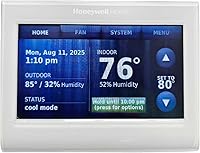
This Honeywell suits a four-wire installation only when the wiring includes the required C wire or an appropriate installation plan. Its strength is a familiar 7-day schedule with app alerts and reminders.
Pros
- 7-day programming
- App-based remote management
- Custom display with comfort information
Cons
- Needs a C wire
- Professional installation is listed as a use case
Honeywell Wireless WiFi Thermostat suits a four-wire installation that already includes a C wire. Its 4.5 x 3.5-inch wall-mounted touchscreen uses the Total Connect Comfort app for remote management and 7-day programming.
The thermostat includes app alerts and reminders, an Energy Savings mode and a custom display with comfort information. Alexa support adds voice control through a separate compatible Alexa device.
The key trade-off is power. This model needs a C wire, so it is not the right first choice for a basic cable with only R, W, Y and G terminals.
Choose it when your wiring is confirmed and you want traditional weekly programming. If you need a no-C-wire approach, compare it with the best 2 wire smart thermostat guide.
Daily use suits people who like a set pattern for weekdays and weekends. You can plan different temperatures for workdays, nights and days at home.
The app is useful for a quick check from another room or outside the home. Alerts and reminders can help you stay aware of comfort changes.
Keep the display clean and dry with a soft cloth. Confirm the terminal layout first, and consider professional help if the wiring does not match the guide.
ecobee Smart Thermostat Essential: Best for affordable room control
- No C wire with a separately sold Power Extender Kit
- Touchscreen and app control
- Apple HomeKit, Google Assistant and Alexa support
- Indoor humidity detection
The ecobee Essential is a good fit when you want broad 24 VAC system support and smart-home control. A four-wire home without a C wire may need the separately sold Power Extender Kit.
Pros
- Works with many 24 VAC HVAC systems
- Built-in humidity detection
- SmartSensor support
Cons
- Power Extender Kit is sold separately for homes without a C wire
- Compatibility still needs to be checked
ecobee Smart Thermostat Essential suits buyers who want a color touchscreen, app control and broad 24 VAC system support. It works with most 24 VAC HVAC equipment, including conventional systems, heat pumps and boilers, but compatibility still needs to be checked.
For a four-wire home without a C wire, ecobee says to use its Power Extender Kit, which is sold separately. That adds a planning step, but it can help preserve a clean wall installation.
The Essential supports Apple HomeKit, Google Assistant and Alexa. Its eco+ features include indoor humidity detection, schedule assistance and time-of-use adjustments.
It is also listed as battery powered and measures 3.62 x 3.62 inches. Choose it when smart-home support and humidity information matter more than having the simplest possible power setup.
The color touchscreen suits people who prefer tapping a clear display instead of using small buttons. It also makes it easier to see the current temperature and schedule at a glance in a hallway.
Humidity detection adds useful context in daily life. Indoor air that feels sticky or dry can affect comfort, and seeing that reading may help you decide how to adjust the system.
The separately sold Power Extender Kit is the main planning point. Check whether your home needs it before ordering, and read the fitting steps so the wall finish stays neat.
This model fits homes that value broad system support and smart-home links. It is less suited to buyers who want every accessory included in one box.
ecobee Smart Thermostat Premium: Best for room-by-room comfort
- Included SmartSensor
- Power Extender Kit included
- Built-in air quality monitor
- Built-in Siri or Alexa speaker
Premium is the most feature-rich choice here for homes with uneven temperatures between rooms. Its included SmartSensor and Power Extender Kit make it easier to plan around a four-wire system.
Pros
- SmartSensor included
- Power Extender Kit and trim plate included
- Built-in air quality monitor
Cons
- Larger and heavier than several other picks
- Some Siri and security functions require additional compatible equipment or services
ecobee Smart Thermostat Premium is the best choice here for room-by-room comfort. Its included SmartSensor detects the temperature and movement in the room where it is placed, so the thermostat does not rely only on the hallway reading.
Premium includes a Power Extender Kit for systems without a C wire, along with a trim plate, backplate, wire labels, screws, drywall plugs and a quick-start guide. That makes it a stronger four-wire candidate when you want the power accessory in the box.
The metal thermostat also includes a built-in air-quality monitor, a large display and a smart speaker with Siri or Alexa built in. The included SmartSensor is the main reason to choose it over a simpler WiFi thermostat.
This model has a 4.09 x 4.09-inch body and weighs 1.3 lb. Its added hardware and functions make it a premium pick, so it is best for homes that will use room sensing, air-quality alerts or built-in voice control.
ecobee Smart Thermostat Enhanced: Best for automatic comfort changes
- Power Extender Kit included
- Occupancy sensing
- Remote app control
- Alexa, Google Assistant, Apple HomeKit and SmartThings support
Enhanced fits buyers who want automatic temperature changes based on occupancy without stepping up to Premium's room sensor and air-quality package. Its included Power Extender Kit helps with homes that lack a C wire.
Pros
- Occupancy sensing
- Power Extender Kit included
- 3-year manufacturer warranty
Cons
- SmartSensors are sold separately
- Compatibility covers 90% of HVAC systems, not every system
ecobee Smart Thermostat Enhanced is a strong middle option for automatic comfort changes. Built-in occupancy sensing can adjust temperature when people are away or asleep, and the ecobee app provides remote control from a smartphone, tablet or Apple Watch.
Its Power Extender Kit is included for homes without a C wire, and the box also includes a trim plate, backplate, wire labels, screws, drywall plugs and a quick-start guide. That makes the installation plan clearer for many four-wire homes.
Enhanced works with Alexa, Google Assistant, Apple HomeKit and SmartThings. It can also use separately sold SmartSensors for room-by-room comfort, although one is not included here.
Choose it when you want occupancy-based adjustments and a 3-year manufacturer warranty without the Premium model's included room sensor and air-quality monitor.
Occupancy sensing suits households with changing routines. The thermostat can react when the home seems empty or active, which may reduce waste without asking you to remember every change.
Remote control is useful for a quick adjustment before you return home. You can also check the schedule and system activity from the app instead of walking to the wall each time.
The included trim plate can help cover marks from an older thermostat. That small detail matters when the new unit is smaller than the outline left on the wall.
The trade-off is that room sensors cost extra. If one hallway reading already works well for your home, you may not need them.
Vine Smart Thermostat for House with Nightlight: Best for a large night-lit display
- 4.3-inch touchscreen
- Nightlight
- 7-day and 8-period programming
- Alexa and Google Assistant support
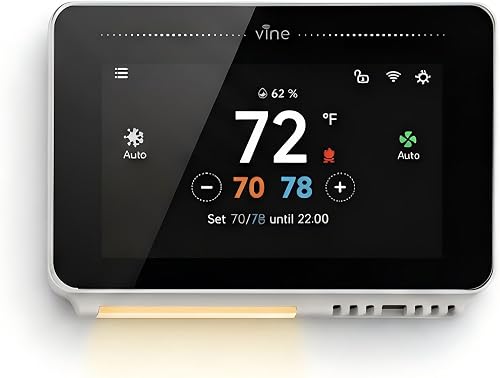
Vine is suited to a four-wire system only when a C wire is available. Its large 4.3-inch screen, nightlight and flexible schedule make it useful where visibility matters.
Pros
- Large touchscreen
- Nightlight
- Includes wall plate, mounting hardware and wire labels
Cons
- C wire required
- Compatibility needs a pre-check
Vine Smart Thermostat is best for a large screen and nighttime visibility, but it requires a C wire. Its 4.3-inch touchscreen includes a nightlight and supports 7-day, 8-period programming.
The thermostat is designed for 90% of 24 V AC systems, including conventional systems and some heat pumps. Vine lists a compatibility pre-check, so confirm the system before connecting it.
Remote control works through the Vine Thermostat or Smart Life app. Alexa and Google Home support add voice control, while Auto Home/Away mode can adjust the schedule around occupancy.
The box includes the thermostat, wall plate, mounting hardware, wire label, installation guide and a jumper wire. Pick it when your four-wire setup includes C and you want a readable display in a dark hallway.
A large touchscreen suits hallways where a small display is hard to read. The nightlight can also help in a dark room without making the thermostat hard to use.
Eight periods per day give you room for morning, work, evening and night settings. That flexibility suits homes with steady routines and different comfort needs at different times.
The C wire requirement is firm. If your cable lacks a common wire, this model may not be the right fit even though the screen and schedule look appealing.
Use the compatibility pre-check before you plan the job. It can save time and help you avoid a thermostat that does not match your HVAC equipment.
Sensi Lite Smart Thermostat: Best for privacy-focused DIY setup
- Designed to work without a C wire in most homes
- Built-in level
- Remote app control
- Usage reports and geofencing
Sensi Lite is a practical choice for a four-wire home when you want a simple DIY installation and app control. It also emphasizes privacy and includes 2 AAA batteries.
Pros
- Designed to work without a C wire in most homes
- Built-in level
- 3-year warranty
Cons
- Some system types need a C wire or power accessory
- The display is less feature-focused than larger touchscreen models
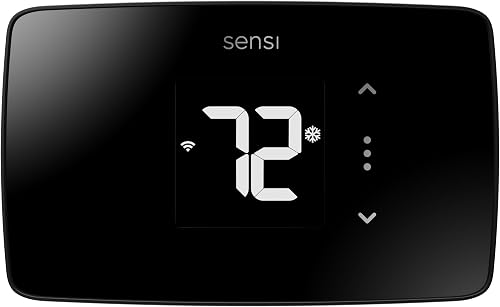
Sensi Lite is a practical choice for many four-wire homes without a C wire. It is designed to work without a C wire in most homes, though heating-only, cooling-only and heat-pump systems may need a C wire or compatible power accessory.
The thermostat includes 2 AAA batteries, mounting hardware, wire labels and an installation guide. A built-in level supports a straighter wall installation, and the Sensi app provides remote control, scheduling, geofencing and usage reports.
Sensi states that it does not sell personal information to third parties or use thermostat activity data for targeting or advertising. That gives privacy-focused buyers a clear reason to consider it.
Its 5.07 x 3.13-inch footprint is wider than the Nest Thermostat. Choose Sensi Lite when simple DIY setup, privacy and app control matter more than a small square display.
The built-in level helps the thermostat sit straight on the wall, which makes the display easier to read. Geofencing lets the schedule respond to arrival and departure, and usage reports show how the system has been running.
Batteries are included, so there is no need to buy them before setup. This model fits buyers who want a clear DIY path and strong privacy language, and it is less suited to homes that need a larger display or extra room sensors.
Riseem WiFi Thermostats for Home Smart Thermostat: Best for confirmed single-stage wiring
- Single-stage 1 heat and 1 cool support
- 2.4 GHz Wi-Fi
- 7-day programming
- App remote control
Riseem can suit a confirmed single-stage 1 heat and 1 cool system with a C wire. Its narrow compatibility range makes wiring and system identification especially important.
Pros
- Clear terminal list
- 7-day schedules
- Backlit LCD
Cons
- Does not support heat pumps or multi-stage systems
- Only works with 2.4 GHz Wi-Fi
Riseem is a narrow fit for a confirmed single-stage 1 heat and 1 cool system with a C wire. It supports RH, RC, W, Y, G and C terminals, but it does not support multi-stage systems, heat pumps, heat-only systems or cool-only systems.
The thermostat cannot run on batteries and needs a 24 V C-wire power supply. It also works only with 2.4 GHz Wi-Fi, so check your home network before planning installation.
App control provides remote temperature changes, 7-day schedules and HVAC monitoring. The backlit LCD is useful in a basement or hallway where the thermostat may be viewed in low light.
Riseem's clear limits are helpful if your system matches them. They are a serious disadvantage if you have a heat pump, staged equipment or any wiring outside the listed terminal set.
This thermostat suits a simple home with one heating stage and one cooling stage. If your equipment matches that setup, the clear terminal list can make planning more straightforward.
The 2.4 GHz limit is worth checking before you buy. Some newer routers use that band less often, so confirm your network supports it during setup.
A backlit display helps in low light, which can be useful in a basement or utility area. The app also gives you a way to adjust the temperature without going to that space.
Choose this model only when the system match is certain. A close match on paper is not enough if your HVAC type falls outside the listed range.
Honeywell TH8321WF1001 Touchscreen Thermostat Wifi Vision Pro: Best for multi-stage HVAC planning
- Large touchscreen
- 7-day programming
- Remote control through Total Connect Comfort
- Supports up to 3 heat and 2 cool stages
VisionPRO 8000 is the outlier for more complex staged HVAC systems. It can be worth considering when four visible wires are only part of a larger installation plan, but confirm the terminal and power requirements first.
Pros
- Supports up to 3 heat and 2 cool stages
- Large touchscreen
- 7-day schedule
Cons
- Product data does not confirm four-wire or C-wire compatibility
- Larger wall footprint
Honeywell TH8321WF1001 VisionPRO 8000 is the specialist pick for staged HVAC planning. It supports up to 3 heat and 2 cool stages, so it belongs on the shortlist when the system is more complex than a basic four-wire arrangement.
The large touchscreen supports a schedule for each day of the week, while the Total Connect Comfort app provides remote temperature control. The thermostat measures 4.96 x 4.65 inches and is 1.14 inches deep.
The product information does not confirm that this model is a direct four-wire or no-C-wire replacement. Confirm the terminal layout, power requirements and system match before selecting it.
If your four visible wires serve a millivolt heater, do not assume a 24 V smart thermostat will work. Read our guide to the millivolt smart thermostat before choosing a model.
A larger display can suit people who want clear readings from a short distance. Support for extra stages matters only when your equipment can use those stages.
At just under five inches wide, it needs enough clear wall space. Because four-wire compatibility is not confirmed here, treat this as a specialist option.
How do you choose a 4 wire wifi thermostat?
Choose a four-wire WiFi thermostat by identifying the terminals first, then checking whether the model needs a C wire. The number of wires alone is not enough to confirm compatibility.
A common four-wire setup has R, W, Y and G terminals. That usually represents power, heat, cooling and fan control, but wire colors and system layouts can vary.
Take a clear photo of the existing terminals before disconnecting anything. Turn off HVAC power at the breaker or service switch, then match terminal labels rather than relying on insulation color.
For a thermostat without a C wire, start with Google Nest Thermostat or Sensi Lite. Both are designed to work without a C wire in most homes, but both still have exceptions for certain system types.
For a thermostat with a C wire, Honeywell, Vine and Riseem become possible choices. Riseem requires a particularly close match because it does not support heat pumps, multi-stage systems, heat-only systems or cool-only systems.
Can a four-wire thermostat use a power accessory?
Yes, some WiFi thermostats can use a power accessory when the system lacks a C wire. The accessory must be compatible with the thermostat and the HVAC equipment.
The ecobee Smart Thermostat Essential uses a separately sold Power Extender Kit for homes without a C wire. ecobee Premium and Enhanced include a Power Extender Kit for systems without one.
A power accessory can expand your options, but it does not make every thermostat compatible with every HVAC system. Check the brand's compatibility tool and follow the installation instructions for your exact equipment.
If you want to avoid a wall power accessory, compare the best battery powered smart thermostat options. Battery operation and no-C-wire operation are not the same feature, so confirm how the thermostat powers its WiFi functions.
Should you choose a single-stage or two-stage WiFi thermostat?
Choose a single-stage thermostat for a confirmed 1 heat and 1 cool system, and choose a two-stage model only when your HVAC equipment has matching second-stage terminals. More stage support is not automatically better.
Single-stage control is simpler because the system runs in one heating mode and one cooling mode. That setup suits many simple homes where the equipment was designed that way.
Two-stage equipment can run at a lower level for longer periods in mild weather. It may then use the higher stage when weather turns more extreme.
Match the thermostat to the equipment already in the home. Extra stages will not help if the furnace or air conditioner cannot use them.
Riseem is explicitly limited to single-stage 1 heat and 1 cool systems. That narrow range makes it a poor choice for staged equipment or heat pumps.
Honeywell VisionPRO 8000 supports up to 3 heat and 2 cool stages, but its four-wire compatibility is not confirmed here. Confirm power and terminals before considering it for a simple four-wire job.
For more comparison, see our guide to the best single stage wifi thermostat or review the best two stage wifi thermostat options.
A photo of the old thermostat can help you identify the system type. Look for stage labels such as W2 or Y2, but do not guess if labels are unclear.
If the system type is hard to identify, ask a qualified installer before ordering. The right stage support is the one that matches your HVAC system.
How do you install and set up a four-wire WiFi thermostat?
Install a four-wire WiFi thermostat by shutting off HVAC power, labeling each terminal, checking compatibility and following the model's wiring guide. The final setup then connects the thermostat to WiFi and the brand's app.
Before removing the old thermostat, record the terminal labels and take a photo. Do not rely on the wire colors because installers may use different colors or repurpose wires.
Check whether the chosen thermostat needs a C wire, batteries or a power accessory. After installation, test heating, cooling and fan functions separately, then confirm that remote app control works.
Stop if the terminals do not match the thermostat instructions or if the system type is unclear. A professional installer is the safer choice when the wiring includes unfamiliar equipment, staged controls or a heat pump.
Lay out the tools and wire labels before you start. That simple step can keep loose wires from slipping back into the wall while you work.
After the thermostat is mounted, check that it sits level and firmly on the wall plate. A loose fit can make the controls feel unstable and may affect the display angle.
Connect to Wi-Fi only after the wiring is secure. Use the brand app to confirm the thermostat is online and that remote changes are reflected on the wall display.
Test each function in turn, including heat, cool and fan. If anything behaves oddly, shut off power and review the wiring before calling for help.
Final verdict: which is the best 4 wire wifi thermostat?
The Google Nest Thermostat is the best 4 wire wifi thermostat for most homes because it is designed to work without a C wire in most installations and adds app control, scheduling and HVAC alerts.
Choose Sensi Lite if privacy and a DIY-focused setup matter most. Choose ecobee Premium if you want an included room sensor, air-quality monitoring and a Power Extender Kit.
Choose Riseem only when your system is confirmed as single-stage 1 heat and 1 cool with a C wire.
Before you buy, identify every terminal and use the brand's compatibility checker. That check is more useful than choosing by wire count alone.
The right pick depends on the home you have. A C wire, a power accessory or a battery can change which models will work.
For a basic four-wire home without a C wire, Nest Thermostat and Sensi Lite are the clearest starting points. Both are designed to work without a C wire in most homes, but certain system types still need extra power.
For a home with a C wire, Honeywell, Vine and Riseem may fit better. Each one asks for a close match on system type, terminals and network needs.
Avoid choosing by wire count alone. Terminal labels, HVAC type and power method will tell you more about compatibility than the number four.
Take a photo, check the maker guidance and confirm the system before ordering. That approach is the best way to end up with a thermostat that works well from the first day.
Our top 3 picks at a glance
-
1
-
2
-
3
Best for affordable room control
ecobee Smart Thermostat Essential
9.6/10 our score
See it on Amazon
Frequently asked questions
Can you install a WiFi thermostat with 4 wires?
Yes, but the answer depends on which four terminals are present and what your HVAC system controls. A four-wire setup may not include a C wire, so choose a thermostat designed for that situation or use a compatible power accessory.
Turn off HVAC power and confirm the wiring before installation.
What are the usual 4 wires on a thermostat?
A common four-wire setup uses R for power, W for heat, Y for cooling and G for the fan. Wire colors can vary, so identify terminals by their labels rather than color alone.
If your system uses different terminals, check the thermostat compatibility guide before disconnecting anything.
Which is the best 4 wire wifi thermostat without a C wire?
The Google Nest Thermostat is the best starting point because it is designed to work without a C wire in most homes. Sensi Lite is another option with app control and DIY-focused setup.
Heating-only, cooling-only, zone-controlled and heat-pump systems may still need another power solution.
Does a 4 wire thermostat need a C wire?
Not always. Four wires can control basic heating, cooling and fan functions without a common wire, but some WiFi thermostats need continuous power through C.
A thermostat may also need a C wire or power accessory for certain system types, even when other four-wire systems work without one.