Battery Powered WiFi Thermostat Without a C Wire?
Yes, a battery powered WiFi thermostat can work without a C wire if it is designed to run on batteries. WiFi and app control still use more power than a basic dial, so battery life, low battery warnings, and a stable 24V common wire matter for many models.
On this page (11 sections)
- What Is a C Wire and Why Does It Matter for Battery Power?
- Can a Battery Powered WiFi Thermostat Really Stay Connected?
- Why Do Many Smart Thermostats Need a C Wire?
- How Do You Check Your Wiring Without a C Wire?
- What Wires Does a Smart Thermostat Need?
- What Are Your Options If You Have No C Wire?
- How Do You Install a Battery Powered WiFi Thermostat Safely?
- What Battery Limits Should You Expect in Daily Use?
- When Should You Add a C Wire Instead of Using Batteries?
- What About Electric Baseboard Heat or Other Non Standard Systems?
- Which Option Fits a WiFi Thermostat Battery Powered No C Wire Setup?
Yes, a battery powered WiFi thermostat can work without a C wire when the model is designed for battery operation. You still need to check how much power WiFi, sensors, and app control use.
A C wire is the common wire in many low voltage HVAC systems. It gives a thermostat a steady return path for 24V AC power, while many connected models need power all day for the screen, WiFi connection, and remote control.
What Is a C Wire and Why Does It Matter for Battery Power?
A C wire, or common wire, supplies steady 24V AC power to the thermostat itself. It does not start the furnace or air conditioner.
For a battery powered WiFi thermostat no C wire setup, batteries replace that supply. They can run the controls, display, and short wireless messages, but not with the same constant energy as a transformer.
Our guide to What Is a C Wire? A Guide for Homeowners explains the common wire in plain terms.
Read that first if Rc, Rh, W, Y, G, and C feel mixed together.
Saving energy has tradeoffs. The screen may dim, WiFi may connect less often, and app updates may lag after idle periods.
Can a Battery Powered WiFi Thermostat Really Stay Connected?
Yes, a battery powered WiFi thermostat can stay connected if the maker designed it for battery use. Check battery type, stated life, WiFi behavior, and low battery behavior.
Some wireless kits use a separate equipment module at the furnace. The wall thermostat talks wirelessly to that module, and the module is wired to the equipment and gets power from the furnace side.
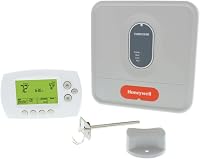
The Honeywell YTH6320R1001 shows that idea. It is a programmable RedLINK enabled kit with an Equipment Interface Module and Return Air Sensor, with 1 year battery life and a 2 month low battery warning stated for the wireless thermostat.
You should still treat battery life as a planning number, not a promise. Cold walls, long WiFi distances, and weak signal strength can shorten it.
RedLINK is also worth naming correctly. It is a wireless link between the thermostat and the module in this kit.
It is not the same as standard WiFi app control.
Why Do Many Smart Thermostats Need a C Wire?
Many smart thermostats need a C wire because batteries handle constant power poorly. A bright display, frequent WiFi checks, and sensors all draw power.
A C wire gives 24V AC on demand. The thermostat can keep its screen ready and respond quickly to the app without rationing energy.
That is why an amazon smart thermostat c wire question comes up often. Whether a C Wire Adapter is required depends on the exact model.
If your current thermostat runs on batteries, your system may still lack a C wire at the wall. Check cable type and conductor count at the thermostat and furnace, with power off first.
How Do You Check Your Wiring Without a C Wire?
Check your wiring at both ends before you buy a connected thermostat. Look at the wall plate, the cable, and the furnace board.
Count conductors and note colors, but do not rely on color alone. Our guide to What Color Is the C Wire on a Thermostat? explains why color is a clue, not a guarantee.
Read How to Identify Thermostat Wires: Quick Fixes before you move wires. Photograph every wire and terminal with power off at the breaker and furnace disconnect.
If a spare conductor exists, land it as C at both ends. Otherwise use a battery model, wireless kit, transformer, or new cable.
What Wires Does a Smart Thermostat Need?
A smart thermostat usually needs R for power, W for heat, Y for cool, G for the fan, and C for common power. Some systems add O, B, Aux, E, or outdoor sensor wires.
Our guide to What Wires Does a Smart Thermostat Need? breaks down those roles. It helps before you compare models, since a standard 5 wire system may not fit a heat pump or dual fuel system.
The Honeywell kit is listed for up to 3H/2C heat pump or up to 2H/2C conventional systems. That stage rating matters for auxiliary heat or dual fuel homes.
Dual fuel requires the C7089R1013 wireless outdoor sensor, sold separately. Read the full parts list before you order.
What Are Your Options If You Have No C Wire?
You have four realistic options: a battery designed model, a wireless kit with an equipment module, a plug in 24V transformer, or a new cable with a C conductor.
A battery designed model is simplest if the maker truly supports battery operation. Check battery life, low battery warnings, and whether app control needs the thermostat to wake up.
A wireless kit moves the hardwired part to the furnace, though the wall unit still needs batteries. A plug in transformer supplies 24V AC from a wall outlet, but only if the outlet is close enough and the cord can run safely.
The VIIVRIA adapter is rated 24V AC with 500mA output and a 315 inch cable. VIIVRIA lists wide compatibility with Nest, Ecobee, Honeywell, and Sensi thermostats.
Match the output to your thermostat maker instructions before you connect it.
How Do You Install a Battery Powered WiFi Thermostat Safely?
Install a battery powered WiFi thermostat by following the maker steps for your exact model and testing heat, cool, and fan before you close the wall. Turn off power before you touch low voltage wires.
Our guide to how to install smart thermostat covers the general order of work. For an Amazon model, how to install amazon smart thermostat is more specific.
Start with photos and label each wire before removal. Keep the old thermostat until the new one passes a full test.
Confirm system settings for type, stages, and heat pump use. Test heat, cool, and fan alone, then connect WiFi and test app control.
What Battery Limits Should You Expect in Daily Use?
Expect battery life to depend on WiFi signal, screen use, temperature swings, and how often local control changes. A maker claim of 1 year aids comparison, but your home may differ.
The Honeywell wireless thermostat states 1 year battery life and a 2 month low battery warning. That window gives you time to buy batteries and swap them before control is lost.
Its Return Air Sensor works with the Equipment Interface Module to maintain safe temperatures if power is lost at the wireless thermostat. Honeywell states it maintains 62 F for heating and 82 F for cooling.
For a battery model without a module, check what happens at low battery in the manual. A weak WiFi link can cause missed app commands and faster battery drain.
When Should You Add a C Wire Instead of Using Batteries?
Add a C wire when you want constant power, bright screen use, reliable app response, or a model that expects 24V common power.
A plug in transformer is the middle path. It feeds a thermostat from a nearby outlet without opening walls, and the VIIVRIA adapter has a 315 inch cable for more routing room.
Route with care. Do not run a cord through a closing door, staple it enough to damage insulation, or place it near water.
A new cable run is the best long term fix in many homes. If your nest thermostat no power to rc wire symptom shows up, the problem may be a tripped breaker or wiring fault that an adapter will not fix.
What About Electric Baseboard Heat or Other Non Standard Systems?
Electric baseboard heat is a different case. A battery powered WiFi thermostat no C wire question assumes a standard low voltage HVAC system with R, W, Y, and often G wires.
Baseboard heat often uses line voltage power.
The Cadet Single Pole Built-In Thermostat Kit is made for Cadet F series electric baseboard heaters only, sold separately. It mounts to either end of the Cadet baseboard heater and uses a large twist dial with a temperature range of 45 F to 80 F.
That design removes extra wiring for that heater line, but it is not a WiFi thermostat. It does not replace a low voltage HVAC thermostat.
If your home has electric baseboard heaters, do not buy a low voltage smart thermostat based on this guide alone.
The same caution applies to radiant floor heat, mini split systems, and older hydronic systems. Some use low voltage controls and some use line voltage relays.
The thermostat manual and the equipment manual must agree.
Which Option Fits a WiFi Thermostat Battery Powered No C Wire Setup?
Choose a battery designed model if you want the simplest install and accept battery swaps. Choose a wireless module kit for battery wall control with powered equipment control, or a transformer or new cable for constant power.
Start with maker facts. Confirm battery type and life, WiFi and app features, low battery behavior, and system compatibility.
If a hardwired smart thermostat will not power on, check Rc power before you blame the C wire. Our linked guide on nest thermostat no power to rc wire walks through that fault path.
If you want a C wire solution for an Amazon model, check the amazon smart thermostat c wire guide. That route is separate from a battery powered model.
For the Honeywell wireless kit, the module and sensor design fits homes that want wireless wall control without a C wire at the wall. For the VIIVRIA transformer, the outlet based 24V feed fits homes with a nearby outlet, and for Cadet baseboard heat, the built in dial fits only Cadet F series heaters.
Match the power source to the thermostat design and test heat, cool, and fan before you call the job done.
Frequently asked questions
Can a battery powered WiFi thermostat work without a C wire?
It can, if the model is built for battery power and does not need constant 24V common power. Check the maker instructions for battery type, expected battery life, WiFi use, and low battery behavior before you rely on it for main heating and cooling control.
Why do many smart thermostats need a C wire?
Many smart thermostats use constant 24V AC power to run a bright screen, WiFi radio, sensors, and app features without draining batteries quickly. Our guide to What Is a C Wire?
A Guide for Homeowners explains the common wire in plain terms for homeowners.
What should I do if my thermostat has no power to the Rc wire?
Turn off power at the breaker, check the furnace disconnect, and confirm voltage with a suitable meter only if you can do so safely. If wiring or voltage is unclear, call a licensed HVAC technician rather than guessing at terminals.
Is a plug in C wire adapter a good alternative?
A 24V transformer adapter can supply common power when no C wire reaches the wall plate, but it needs a nearby outlet and safe cord routing. Confirm output ratings, compatibility, and local electrical rules before you install it.