Which Remote Sensors Work with Honeywell Thermostats?
Honeywell remote sensors work only with specific thermostat models. Some Honeywell Home systems support wireless room sensors, while other models use wired remote temperature sensors or do not support a separate sensor.
On this page (8 sections)
- Which Honeywell thermostats support remote sensors?
- Are Honeywell Home thermostat sensors wired or wireless?
- Where should you place a remote room sensor?
- What should you know about these thermostat options?
- What does remote temperature control mean?
- Do you need a C wire for a sensor?
- How do you choose the right Honeywell thermostat sensor?
- Which Honeywell thermostat remote sensor should you choose?
A Honeywell thermostat remote sensor works only with compatible thermostat models. Honeywell Home systems may support wireless room sensors, while some thermostats use wired remote sensors and others do not support separate room sensors.
Start with the thermostat's full model number, then check its manual or Honeywell Home accessory information for the exact sensor type. The words “Honeywell Home thermostat with sensor” can describe different setups, so the brand name alone is not enough to establish compatibility.
For a broader view of room-sensing options, compare our guide to the best thermostat with remote sensors.
Which Honeywell thermostats support remote sensors?
Sensor support depends on the thermostat family and model. A wireless Honeywell room sensor pairs with supported systems, while a wired sensor needs a model with the right terminals and configuration.
Do not choose a sensor based only on its shape, wireless label or brand. Check the thermostat's documentation for compatible accessory model numbers and instructions for adding a sensor.
| Sensor type | How it connects | What to confirm |
|---|---|---|
| Wireless room sensor | Communicates with a compatible thermostat system | Thermostat model supports that sensor and pairing method |
| Wired remote sensor | Connects to thermostat terminals | Thermostat has matching terminals and supports the sensor |
| No separate sensor support | Uses the thermostat's own temperature reading | A separate sensor cannot be added as a supported accessory |
Honeywell product names and model numbers can be similar across product lines. Keep the thermostat's exact model number nearby when checking support, and verify the sensor's exact model number too.
A thermostat's Wi-Fi or app features do not by themselves mean it can use a remote room sensor. Connectivity and sensor compatibility are separate features.
How to check a Honeywell thermostat remote sensor model
Find the thermostat's model number on its label, packaging, setup paperwork or app. If the label is behind a faceplate, follow the manual's directions before removing anything.
Search the manual for terms such as “remote sensor,” “indoor sensor,” “room sensor,” “wired sensor” or “accessories.” Check the wiring diagram and accessory list, then confirm any required setup steps.
If you cannot find a clear compatibility statement, contact Honeywell Home support with both model numbers. That is safer than buying a sensor based on a general product-family name.
Are Honeywell Home thermostat sensors wired or wireless?
Honeywell Home thermostat sensors may be wired or wireless, depending on the thermostat system. The system's instructions determine which type you can use and where to install it.
A wired sensor needs a supported connection to the thermostat, so wire terminals and installation details matter. A wireless sensor avoids that wire run, but it still needs a compatible thermostat and the right pairing process.
Avoid treating a remote sensor as a universal temperature probe. A third-party sensor may measure room temperature, but that does not mean a Honeywell thermostat can receive or use its reading.
If you are also comparing other brands, our guides explain the ecobee thermostat remote sensor and how to use a Nest temperature sensor.
Where should you place a remote room sensor?
Place a compatible sensor in the room whose temperature you want the system to account for. Follow the sensor's manual for placement and avoid locations that can skew its reading.
Sunlight, drafts, heat from appliances and exterior doors can make a spot warmer or cooler than the rest of the room. A sensor in an unusual hot or cold pocket may give the thermostat a misleading picture of comfort.
Think about your goal before placing it. A bedroom sensor may help a compatible system account for that room, while a sensor beside the thermostat may add little information.
Sensor behavior varies by thermostat. Check whether the model uses one sensor, averages several readings or follows scheduled room preferences before deciding how many sensors you need.
What should you know about these thermostat options?
A product name that mentions Wi-Fi or a sensor does not prove compatibility with Honeywell room sensors. These three products illustrate why you should match a thermostat's features to your goal.
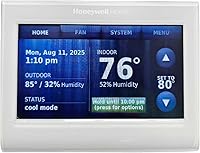
The TH9320WF5003 has a touchscreen and uses the Total Connect Comfort app for remote comfort management. Its listed features do not identify a compatible remote room sensor, so verify support with Honeywell Home before planning a sensor setup.
The included Nest sensor belongs to the Nest system, not the Honeywell Home sensor family. For details on that sensor, see our Google Nest Temperature Sensor review.
The Inkbird controller is designed to operate connected heating or refrigeration equipment as conditions change. Its probe should not be treated as a Honeywell thermostat accessory.
What does remote temperature control mean?
Remote temperature control means a system can use a temperature reading from somewhere other than the thermostat itself. A phone app that lets you change the set point is a separate kind of remote control.
A room sensor may report temperature to a compatible thermostat, which can then apply its supported rules. App control lets you view or change thermostat settings over a network, but it does not necessarily add room sensing.
Our plain-language guide to what remote temperature control means explains the difference. You can also read what a smart home thermostat is if you are comparing connected features.
Do you need a C wire for a sensor?
A C wire question is separate from remote sensor compatibility. The thermostat's power needs and its supported sensor accessories must each be checked for the exact model.
A thermostat may need a C wire for power even if it supports a wireless room sensor. A system without a C wire may still have sensor limits, so do not assume one feature answers the other.
For options designed for homes without a C wire, see our best smart thermostats without a C wire. If your current Honeywell thermostat needs fresh batteries, follow our guide to how to replace Honeywell thermostat batteries.
How do you choose the right Honeywell thermostat sensor?
Choose a sensor only after matching its model number to your thermostat's documentation. Use this quick check before ordering or starting installation.
- Find the thermostat's complete model number.
- Check the manual for supported wired or wireless sensor types.
- Match the sensor model number to the thermostat's accessory list.
- Read how the thermostat uses sensor readings and whether setup is required.
- Follow the manufacturer's installation instructions.
If you cannot confirm a match, pause and ask Honeywell Home support. A sensor that cannot communicate with the thermostat will not solve room temperature differences.
Which Honeywell thermostat remote sensor should you choose?
Choose a Honeywell remote sensor by thermostat model first, then by wired or wireless setup. If the manual names a compatible accessory, use that exact sensor family; if it does not, do not assume a sensor can be added.
Pick a wireless sensor when the thermostat supports its pairing method and you want to avoid running wire. Pick a wired sensor only when the thermostat's terminals and instructions support it.
When the thermostat model or accessory match is unclear, verify it before buying. That is the most reliable way to find a Honeywell thermostat remote sensor that will work in your home.
Frequently asked questions
Do Honeywell thermostats work with remote sensors?
Some Honeywell thermostat families support remote sensors, but compatibility depends on the exact thermostat model and sensor type. Check the model number and its manual before buying.
A wireless sensor for one Honeywell Home system may not work with another, and some thermostats have no remote sensor support.
Can I use a Honeywell wireless sensor with any Honeywell thermostat?
No. Honeywell wireless room sensors are designed for compatible thermostat systems, not every Honeywell thermostat.
Confirm the thermostat model's supported accessories and sensor pairing steps before choosing one.
A shared brand name alone does not confirm that a sensor and thermostat can communicate.
What is the difference between a wired and wireless thermostat sensor?
A wired sensor connects to thermostat terminals using low-voltage wiring, while a wireless sensor communicates with a compatible thermostat over its supported wireless connection. They are not interchangeable.
Check the manual for the required sensor type, terminals or pairing instructions before installing either one.
Can a remote sensor control my Honeywell thermostat?
A compatible remote sensor can provide room temperature information for a thermostat system that supports it. Whether the thermostat uses that reading for control, scheduling or room averaging depends on the model and its settings.
Check the manual for supported sensor behavior and configuration options.
How do I find my Honeywell thermostat model number?
Look for the model number on the thermostat itself, its packaging, installation paperwork or the system's app when available. Some models have a label behind the thermostat faceplate, but only remove it if the manual says it is safe.
Use the complete model number to check sensor compatibility.