9 Best Single Stage WiFi Thermostats (November 2026)
The best single stage WiFi thermostats include the Google Nest Thermostat for flexible smart control, the Honeywell Wireless WiFi Thermostat for 7-day touchscreen scheduling, and the ecobee Smart Thermostat Premium for whole-home comfort features.
On this page (7 sections)
- The best single stage wifi thermostats for different homes
- How do you choose a single-stage Wi-Fi thermostat?
- Is a C wire required for a single-stage Wi-Fi thermostat?
- Can a single-stage thermostat work with a heat pump?
- What is the difference between single-stage and two-stage Wi-Fi thermostats?
- Do touchscreen features matter on a single-stage thermostat?
- Which single-stage Wi-Fi thermostat should you buy?
The Google Nest Thermostat is the best single stage wifi thermostat for most homes because it combines Wi-Fi scheduling, remote control and away adjustments in a compact wall-mounted design. Choose Riseem or Heagstat when your system is a confirmed conventional 1 heat/1 cool setup with a C wire.
A single-stage system has one heating stage and one cooling stage. That makes compatibility more important than the number of smart features, because a Wi-Fi thermostat can still be the wrong choice if its wiring does not match your equipment.
If you're unsure how your HVAC equipment is configured, start with What HVAC Systems Work with Smart Thermostats?. For heat pump owners, compare these picks with our guide to the best smart thermostat for heat pump systems.
Our picks at a glance
-
1

-
2
 Best for 7-day touchscreen scheduling
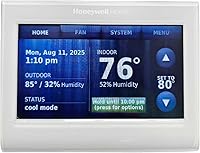
Honeywell Wireless WiFi Thermostat
9.6/10 our score
See it on Amazon -
3
 Best for whole-home comfort features
ecobee Smart Thermostat Premium
9.2/10 our score
See it on Amazon
- 4
 Check it
ecobee Smart Thermostat Enhanced
Best for broad smart-home support - 5
 Check it
Vine Smart Thermostat for House with Nightlight
Best for a large night-visible display - 6
 Best for simple DIY installationCheck it
- 7
 Check it
Riseem WiFi Thermostats for Home Smart Thermostat
Best for confirmed 1 heat/1 cool wiring - 8
 Check it
Honeywell TH8321WF1001 Touchscreen Thermostat Wifi Vision Pro
Best for a large touchscreen interface - 9
 Check it
Heagstat WiFi Thermostat 1 Heat/1 Cool
Best for a basic conventional system
The best single stage wifi thermostats for different homes
The best choice depends on your wiring, app preferences and need for extra sensors or air-quality features. We compared the stated compatibility, power requirements, control options and scheduling features for each pick.
Our score weighs specs, features and buyer feedback against what you're shopping for. Roundup order follows the scores from highest to lowest.
| Product | Best for | Power | Connectivity | Control | Our score |
|---|---|---|---|---|---|
| Google Nest Thermostat | flexible smart control | No C wire in most homes; some systems need a C wire or power accessory | Wi-Fi | Google Home app, buttons and voice control | 9.7 |
| Honeywell Wireless WiFi Thermostat | 7-day touchscreen scheduling | Needs C wire | Wi-Fi | Touchscreen, app and Alexa | 9.6 |
| ecobee Smart Thermostat Premium | whole-home comfort features | App, touchpad, Siri and Alexa | 9.2 | ||
| ecobee Smart Thermostat Enhanced | broad smart-home support | App, touch and voice assistant | 9.1 | ||
| Vine Smart Thermostat for House with Nightlight | a large night-visible display | C wire required for all Vine thermostats | Touch, app and Alexa or Google Home | 9.0 | |
| Sensi Lite Smart Thermostat | simple DIY installation | No C wire in most homes; some systems need a C wire or power accessory | Wi-Fi, including 2.4GHz setup | App, touch and voice assistant | 8.9 |
| Riseem WiFi Thermostats for Home Smart Thermostat | confirmed 1 heat/1 cool wiring | 24V C wire required; battery operation is not supported | 8.8 | ||
| Honeywell TH8321WF1001 Touchscreen Thermostat Wifi Vision Pro | a large touchscreen interface | Touchscreen and Total Connect Comfort app | 8.7 | ||
| Heagstat WiFi Thermostat 1 Heat/1 Cool | a basic conventional system | Constant 24VAC C wire required | 8.4 |
Google Nest Thermostat: Best for flexible smart control
- Wi-Fi connectivity
- Programmable schedules in the Google Home app
- Designed to work without a C wire in most homes
- Remote phone, laptop and tablet control
The Google Nest Thermostat combines remote control, scheduling and away adjustments in a compact wall-mounted unit. Check system compatibility before buying, especially for heat pumps and other systems that may need a C wire.
Pros
- Works without a C wire in most homes
- Google Home scheduling and remote control
- HVAC alerts and maintenance reminders
Cons
- Some systems need a C wire or compatible power accessory
- Lock feature is not included
The Google Nest Thermostat is the strongest all-around choice for a home that needs simple smart control. It uses Wi-Fi, works with the Google Home app and lets family members adjust the temperature from a phone, laptop or tablet.
Its away adjustment can turn the temperature down when you leave, while programmable schedules help set a routine. The thermostat also sends HVAC alerts and maintenance reminders for eligible systems, although an alert is not a diagnosis of the equipment.
Power planning is the main check. Google designed it to work without a C wire in most homes, but heating-only, cooling-only, zone-controlled and heat pump systems may need a C wire or another compatible power accessory.
The compact unit measures 1.07 in deep by 3.31 in wide and 3.31 in high. It includes the thermostat, mounting screws, a steel plate, documentation and 2 AAA batteries.
Choose it when you want a flexible smart thermostat with Google Home control. Check Google's Nest Compatibility Checker before installation if your system is unusual or lacks a C wire.
Honeywell Wireless WiFi Thermostat: Best for 7-day touchscreen scheduling
- 7-day programming
- Total Connect Comfort app
- Alexa voice control
- Custom display with comfort information
This Honeywell gives you a familiar touchscreen layout with 7-day programming and remote app control. It suits homes that already have the required C wire and want a clear schedule-focused interface.
Pros
- 7-day programming
- Touchscreen control
- Alerts and reminders on the display and through the app
Cons
- Needs a C wire
- Professional installation is recommended
The Honeywell Wireless WiFi Thermostat suits homeowners who want a touchscreen and a full 7-day schedule. Total Connect Comfort provides remote monitoring and control, while Alexa adds voice control through a compatible Alexa device.
The custom display shows comfort information on screen, and alerts and reminders appear on the display and through the app. That makes it a practical pick for someone who wants schedule control without adding room sensors.
This model needs a C wire, so inspect the existing wiring before you choose it. Honeywell also describes professional installation as part of the setup path.
Its wall-mounted body measures 0.88 in deep by 4.5 in wide and 3.5 in high. The thermostat is made from plastic and includes the thermostat itself.
Pick it for a familiar Honeywell interface and 7-day programming. If you want a larger modern touchscreen, compare it with the VisionPRO option later in this guide.
ecobee Smart Thermostat Premium: Best for whole-home comfort features
- Included SmartSensor
- Built-in air quality monitor
- Power Extender Kit
- Siri or Alexa built in
The ecobee Smart Thermostat Premium is the feature-rich choice for buyers who want room sensing, air quality information and a built-in smart speaker. Its included SmartSensor can help prioritize comfort where people spend time.
Pros
- SmartSensor included
- Built-in air quality monitor
- 3-year manufacturer warranty
Cons
- More features than a basic single-stage setup needs
- Siri requires an Apple home hub
The ecobee Smart Thermostat Premium is the best fit when a single-stage system is part of a larger comfort plan. The included SmartSensor detects the room being used, while the built-in air quality monitor provides alerts and filter reminders.
It also includes a Power Extender Kit for homes without a C wire, a trim plate, backplate, wire labels, screws, drywall plugs and a quick start guide. ecobee states compatibility with 95% of HVAC systems, but you should still confirm your exact system.
The built-in smart speaker supports Siri or Alexa, and the thermostat can stream Spotify playlists or podcasts. Siri requires an Apple home hub, and Smart Doorbell Camera features require the compatible wired doorbell and ecobee Smart Security subscription.
The metal unit measures 2.9 in deep by 4.09 in wide and 4.09 in high. Its included SmartSensor makes it more useful for rooms that do not match the hallway temperature.
Choose Premium if room sensing and indoor-air information matter more than keeping the thermostat basic. It can be more capability than you need for a small single-stage system.
ecobee Smart Thermostat Enhanced: Best for broad smart-home support
- Occupancy sensing
- Automatic away and sleep adjustments
- Power Extender Kit
- Alexa, Google Assistant, Apple HomeKit and SmartThings support
The ecobee Enhanced fits a connected home that needs app control and broad smart-home compatibility. It includes a Power Extender Kit for homes without a C wire, while additional SmartSensors are optional.
Pros
- Broad smart-home support
- Occupancy sensing
- 3-year manufacturer warranty
Cons
- SmartSensors are sold separately
- Compatibility still needs to be confirmed
The ecobee Smart Thermostat Enhanced offers many of Premium's daily comfort controls with a simpler accessory setup. Built-in occupancy sensing can adjust the home when people are away or asleep, and the app supports remote changes from a smartphone, tablet or Apple Watch.
It works with Amazon Alexa, Google Assistant, Apple HomeKit and SmartThings. The included Power Extender Kit supports homes without a C wire, while extra SmartSensors can be added later but are sold separately.
ecobee states compatibility with 90% of HVAC systems. Confirm the wiring before installation, especially if your single-stage system has uncommon terminals or equipment controls.
The metal wall-mounted thermostat measures 0.94 in deep by 4.09 in wide and 4.09 in high. It includes the thermostat, backplate, wire labels, screws, drywall plugs, trim plate, quick start guide and Power Extender Kit.
Choose it when broad smart-home support is more important than an included room sensor. For a Premium comparison, focus on whether you need the included SmartSensor and air quality monitor.
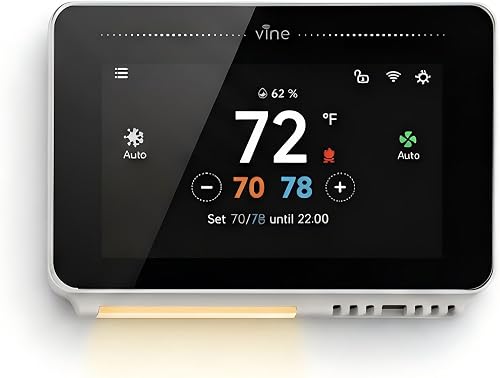
Vine Smart Thermostat for House with Nightlight: Best for a large night-visible display
- 4.3-inch touchscreen
- Programmable nightlight
- 7-day and 8-period scheduling
- C wire required
The Vine thermostat is a strong fit when a large touchscreen and nightlight matter. Its stated compatibility covers more than single-stage equipment, but every installation needs a C wire.
Pros
- 4.3-inch touchscreen
- Nightlight
- App and voice control
Cons
- C wire required
- The larger body needs more wall space
The Vine Smart Thermostat is a good match for buyers who want a large display that remains easy to see at night. Its 4.3-inch touchscreen includes a nightlight, and the thermostat supports 7-day scheduling with 8 periods per day.
Vine states compatibility with 90% of 24V AC systems, including conventional 2H/2C systems, heat pumps with auxiliary or emergency heat, and heat-only or cool-only systems. That broader range does not remove the need to check your exact wiring.
Every Vine thermostat requires a C wire. The thermostat is hardwired and includes a wall plate, mounting hardware, wire label, installation guide, screwdriver, screw set, jumper wire and user manual.
The unit measures 1.02 in deep by 4.84 in wide and 3.35 in high. App control works through the Smart Life app, and voice control works with Alexa and Google Home.
Pick Vine when night visibility and touchscreen size are high priorities. Measure the wall area first because it is wider than several compact thermostats here.
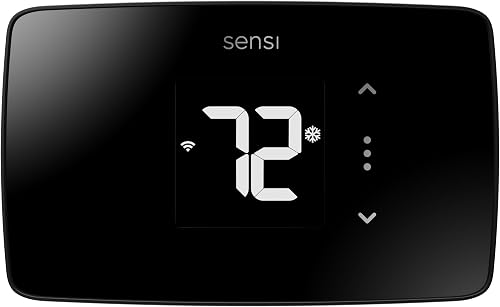
Sensi Lite Smart Thermostat: Best for simple DIY installation
- Built-in level
- Flexible scheduling and geofencing
- Remote app access
- ENERGY STAR certified
The Sensi Lite keeps the smart-thermostat feature set focused on scheduling, remote access and energy reports. Its built-in level and step-by-step instructions help homeowners handle many installations themselves.
Pros
- Built-in level
- Privacy-focused data policy
- Designed for DIY installation
Cons
- Some systems need a C wire
- The display is larger and wider than several compact models
The Sensi Lite is the best choice for a focused DIY setup. Its built-in level and step-by-step instructions support installation, while the app handles remote access, flexible schedules, geofencing and usage reports.
Sensi designed it to work without a C wire in most homes, but heating-only, cooling-only and heat pump systems may need a C wire or compatible power accessory. The thermostat connects through 2.4GHz Wi-Fi.
Privacy is a central feature. Sensi says it will not sell personal information to third parties or use thermostat activity data for targeting or advertising.
The unit measures 0.88 in deep by 5.07 in wide and 3.13 in high. It includes 2 AAA batteries, mounting hardware, wire labels, an installation guide and the thermostat.
Choose Sensi Lite when you want straightforward app control and a guided installation. Its wider body may cover more of the old thermostat's wall mark, which can help during a replacement.
Riseem WiFi Thermostats for Home Smart Thermostat: Best for confirmed 1 heat/1 cool wiring
- Single-stage 1 heat/1 cool compatibility
- 2.4GHz Wi-Fi
- 7-day programming
- Backlit LCD
Riseem is the most direct match for a conventional single-stage 1 heat/1 cool system with a C wire. Its clear limits make it easier to rule out unsuitable HVAC setups before installation.
Pros
- Designed for conventional 1H/1C systems
- 7-day schedules
- Backlit LCD
Cons
- Does not support heat pumps or multi-stage systems
- Only supports 2.4GHz Wi-Fi
Riseem is the most direct match for a confirmed conventional single-stage 1 heat/1 cool system. It supports RH, RC, W, Y, G and C terminals and does not support W2, Y2, O/B, E, L, AUX or ACC terminals.
The C wire is mandatory, and the unit cannot run on batteries. It also works only on 2.4GHz Wi-Fi, so a 5GHz-only network will not complete the connection.
Riseem specifically excludes multi-stage systems, heat pumps, heat-only systems, cool-only systems, line-voltage systems, PTAC units, mini splits and RV air conditioners. Those limits are useful because they make the buying decision clear.
The backlit LCD measures a wall-mounted unit at 0.98 in deep by 4.72 in wide and 3.86 in high. App control supports remote temperature changes, 7-day schedules and HVAC monitoring.
Choose it when your wiring and equipment match the 1H/1C requirements exactly. If you have a heat pump or a second-stage wire, use a different model.
Honeywell TH8321WF1001 Touchscreen Thermostat Wifi Vision Pro: Best for a large touchscreen interface
- Large touchscreen display
- 7-day programming
- Remote Total Connect Comfort app control
- Supports up to 3 heat and 2 cool stages
The VisionPRO 8000 suits a home where a large touchscreen and detailed scheduling matter. Its support for up to 3 heat and 2 cool stages gives it more system range than a basic single-stage thermostat.
Pros
- Large touchscreen
- 7-day programming
- Remote app control
Cons
- May offer more stage support than a single-stage system needs
- Battery details should be checked during installation planning
The Honeywell TH8321WF1001 VisionPRO 8000 suits buyers who prefer a large touchscreen and need more stage support than a basic single-stage system requires. Its title specifies support for up to 3 heat and 2 cool stages.
The thermostat provides a schedule for each day of the week and remote temperature control through the Total Connect Comfort app. That makes it useful when you want detailed programming from the wall and remote access away from home.
Its dimensions are 4.96 in by 1.14 in by 4.65 in, and it uses 2 AAA batteries. The large touchscreen can be easier to read than a compact LCD, but it also needs enough wall space.
Choose VisionPRO if you may change HVAC equipment later or want a larger control surface now. For a strictly single-stage installation, its extra stage support may not add daily value.
That extra range matters most if your home may get new heating or cooling equipment in a few years. A thermostat that already accepts more stages can stay in place when the system changes.
It also suits a household where several people use the wall control each day. A larger display and seven day schedule make it easier to check settings without opening an app.
Batteries are part of day to day care here, so keep spares handy and plan to replace them as directed. The wall space needed is also worth checking before it arrives, since a large unit will cover old marks differently.
If your current system is only 1 heat and 1 cool, the added stages may go unused. In that case a simpler single stage model may be easier to set up and match to your wiring.
Heagstat WiFi Thermostat 1 Heat/1 Cool: Best for a basic conventional system
- 24VAC conventional 1H/1C compatibility
- 2.4GHz Wi-Fi
- 7-day programming
- Backlit LCD
Heagstat focuses on the essentials for a conventional single-stage forced-air system. It offers app control and schedules, but the narrow compatibility list means wiring must be checked first.
Pros
- Clear 1H/1C compatibility
- 7-day programming
- Backlit LCD
Cons
- C wire required
- Does not support heat pumps or multi-stage systems
Heagstat is built for a conventional 24VAC single-stage 1H/1C forced-air system. It supports gas, oil and electric furnaces matched with an independent outdoor air-conditioning condenser and complete indoor ductwork.
A constant 24VAC C wire is mandatory, and the base accepts a maximum of 5 wires. Supported terminals are RH, RC, W, Y, G and C, while heat pumps, multi-stage systems, PTAC units, mini splits, rooftop units and 120–240V loads are excluded.
The thermostat connects only to 2.4GHz Wi-Fi. Its app provides remote temperature changes and HVAC monitoring, while 7-day programming helps align temperature settings with your routine.
The plastic wall-mounted unit measures 0.98 in deep by 4.72 in wide and 3.86 in high. It has a backlit LCD and a modern rectangular shape.
Choose Heagstat when your equipment fits its narrow compatibility list and you want a basic app thermostat. If you cannot identify the C wire or system type, get professional help before wiring it.
How do you choose a single-stage Wi-Fi thermostat?
Choose a single-stage Wi-Fi thermostat by matching the HVAC terminals first, then compare power, app control and scheduling. A smart display cannot compensate for incompatible equipment.
Start by identifying whether your system is conventional 1 heat/1 cool, heat pump, heat-only or cool-only. A thermostat designed for Riseem or Heagstat's conventional 1H/1C wiring is not suitable for a heat pump or multi-stage setup.
Next, check the C wire. Nest and Sensi Lite are designed to work without one in most homes, while Vine, Riseem and Heagstat require a C wire. ecobee includes a Power Extender Kit with Premium and Enhanced for systems without a C wire.
Use the old thermostat's terminal labels as a starting point, not as proof that the equipment is compatible. Turn off power before inspecting wiring, photograph the connections and keep the HVAC system idle while pairing Wi-Fi.
Is a C wire required for a single-stage Wi-Fi thermostat?
A C wire is required by some single-stage Wi-Fi thermostats but not all. It supplies steady power for Wi-Fi operation, app commands, display and schedules.
Google Nest and Sensi Lite are designed to work without a C wire in most homes. ecobee Premium and Enhanced include a Power Extender Kit for homes without one.
Vine, Riseem and Heagstat state that a C wire is required. Check the exact model compatibility guide before installation, because requirements vary by system.
Do not assume a missing visible C wire means a thermostat cannot work. Some homes have unused wiring behind the wall, and some need a compatible power accessory.
Wi-Fi thermostats use more power than a basic manual model. Steady power helps the unit stay connected and respond reliably from the app.
Model choice matters more than thermostat style here. A compact smart unit and a large touchscreen may have very different power needs.
Before you buy, turn off power to the heating and cooling system. Remove the old thermostat cover and photograph each wire with its terminal label.
Compare that photo with the new model guide before disconnecting anything. Pay close attention to heating only, cooling only and heat pump systems.
Those setups can have different power needs from a conventional furnace and air conditioner pairing. The stage count alone does not prove compatibility.
If you find a C wire at the wall, confirm it is also connected at the equipment end. A wire present only at the thermostat may not supply power.
If you do not see a C wire, do not assume one is hidden behind the wall. Some homes have unused wiring, but others need an accessory or a different model.
The ecobee Power Extender Kit is one route for homes without a C wire. Other models may need a separate compatible accessory.
Riseem and Heagstat require a C wire for normal use, and Vine requires one for all its thermostats. That clear limit helps you rule them out quickly.
For Google Nest and Sensi Lite, some systems still need a C wire or power accessory. Heating only, cooling only, zone controlled and heat pump systems are common examples.
Checking compatibility first can save a return and an unfinished wall mount. Installation day is not the time to discover a power mismatch.
If wiring labels are unclear, pause before disconnecting anything. An HVAC professional can confirm the system type and power needs.
Keep the old thermostat and its wiring photo until the new unit is mounted and responding. That gives you a clear record if a terminal or power question comes up.
Can a single-stage thermostat work with a heat pump?
A single-stage thermostat can work with some heat pump systems, but the thermostat must support the heat pump terminals and operating logic. A conventional 1H/1C model that lacks O/B or auxiliary heat support is not a safe match.
Vine states support for heat pumps with auxiliary or emergency heat. Google Nest and Sensi Lite note that some heat pump installations need a C wire or compatible power accessory, while Riseem and Heagstat exclude heat pumps.
If you are comparing heat pump options, read Can You Use a Nest Thermostat with a Heat Pump? before choosing a conventional single-stage model. You can also compare the best two stage wifi thermostat if your equipment has more than one operating stage.
What is the difference between single-stage and two-stage Wi-Fi thermostats?
A single-stage thermostat controls one heating stage and one cooling stage. A two-stage thermostat can call for a lower or higher operating level through additional terminals such as W2 or Y2.
Single-stage equipment is usually simpler to match, but the thermostat still needs to support the correct system type. Riseem and Heagstat are narrowly designed for conventional 1H/1C equipment, while the Honeywell VisionPRO supports up to 3 heat and 2 cool stages.
Read What Is a Stage in a Thermostat? The Homeowner’s Guide for the basic terms, then use [What Is a Two Stage Thermostat?
What You Need to Know](/what-is-a-two-stage-thermostat/) if you see extra stage wires.
Do touchscreen features matter on a single-stage thermostat?
Touchscreen features matter when you want a larger interface or more information at the wall, but they do not determine single-stage compatibility. The wiring and system type still come first.
The Honeywell Wireless WiFi Thermostat and VisionPRO offer touchscreen control, while Vine adds a 4.3-inch touchscreen and nightlight. Riseem and Heagstat use backlit LCD displays, which may suit a simpler hallway or basement installation.
If display size is your main concern, compare the best wifi touchscreen thermostat options. For an office or larger facility, the best wifi thermostat for commercial buildings guide covers a different set of planning needs.
Which single-stage Wi-Fi thermostat should you buy?
Choose the Google Nest Thermostat if you want the strongest mix of scheduling, remote control and flexible power planning. Choose Honeywell if a 7-day touchscreen schedule is your priority.
Choose ecobee if room sensing and air-quality features matter. For a confirmed conventional 1H/1C system with a C wire, choose Riseem or Heagstat.
Choose Vine for its large night-visible display, Sensi Lite for a focused DIY setup and VisionPRO if you want a larger touchscreen with support for extra stages.
The final decision rule is simple: match the thermostat to the equipment and wiring before comparing smart features. A smart display cannot compensate for incompatible equipment.
Start with your system type because that narrows the list faster than any display or app feature. A conventional 1 heat and 1 cool setup differs from a heat pump.
Heat only and cool only systems also have different requirements. Identify the system first, then compare models designed for that wiring.
Next, check power. Some picks are designed to work without a C wire in most homes, some include a Power Extender Kit and others require a C wire.
That one detail can remove several models before you compare anything else. Confirm the requirement for the exact model and system.
Then look at how you want to control the temperature each day. Google Home scheduling, the Total Connect Comfort app and the ecobee app suit different households.
The Smart Life app and simpler app workflows are other options. Choose the control method you will actually use at home and away.
Room comfort is the next filter. The ecobee Smart Thermostat Premium includes a SmartSensor and an air quality monitor for whole-home comfort.
The Enhanced model can add SmartSensors later, but they are sold separately. Those extras make sense when one hallway reading does not reflect the rooms you use.
If you want a simpler guided install, the Sensi Lite stands out for its built-in level and step-by-step instructions. It also offers flexible scheduling, geofencing and usage reports.
For a large display, Vine offers a 4.3-inch touchscreen with a nightlight. The Honeywell VisionPRO 8000 offers a large touchscreen plus support for up to 3 heat and 2 cool stages.
Riseem and Heagstat are the clearest picks when wiring already matches a conventional 1H/1C system exactly. Their narrow limits make the decision easier if terminals and C wire line up.
The Honeywell Wireless WiFi Thermostat fits a home that wants 7-day touchscreen programming and Alexa voice control. It needs a C wire, and professional installation is part of its setup path.
Broad smart-home support may decide the choice for some buyers. The ecobee Enhanced works with Alexa, Google Assistant, Apple HomeKit and SmartThings.
The Nest Thermostat works with Google Home and other compatible platforms, including Matter-certified voice assistants. Voice control requires a compatible smart device.
Do not let a feature list override a compatibility warning. Extra sensors, a larger screen or a built-in speaker will not help if wiring does not match.
Measure the wall space as well, since sizes vary from a compact unit to a wider body. A thermostat that covers the old mark can finish the job more cleanly.
If you are unsure about the system type, check the wiring photo and the exact model guide before removing the old unit. When labels are unclear, professional help is safer than guessing.
Our top 3 picks at a glance
-
1
-
2
Best for 7-day touchscreen scheduling
Honeywell Wireless WiFi Thermostat
9.6/10 our score
See it on Amazon -
3
Best for whole-home comfort features
ecobee Smart Thermostat Premium
9.2/10 our score
See it on Amazon
Frequently asked questions
What is the best single stage wifi thermostat?
The Google Nest Thermostat is the best single stage wifi thermostat for most homes because it combines Wi-Fi, scheduling, remote control and away adjustments. Riseem and Heagstat are better matches when you have a confirmed conventional 1 heat/1 cool system with a C wire.
What does single stage mean on a thermostat?
Single stage usually means one heating stage and one cooling stage. A 1H/1C system turns the heat source or air conditioner on at one operating level, so a thermostat designed for single-stage wiring does not need W2 or Y2 terminals.
Do single stage WiFi thermostats need a C wire?
Some do and some don't. Google Nest and Sensi Lite are designed to work without a C wire in most homes, while Riseem, Heagstat and Vine require one.
Heat pumps and other systems may have different power requirements, so check compatibility before removing the old thermostat.
Can I use a single stage thermostat on a two-stage system?
A single-stage thermostat may not control the second heating or cooling stage correctly. Check the equipment terminals and choose a thermostat rated for the system.
Our guide to [What Is a Two Stage Thermostat?
What You Need to Know](/what-is-a-two-stage-thermostat/) explains the difference.
How do I check thermostat wiring before buying?
Turn off HVAC power, remove the thermostat cover and photograph the wire labels before disconnecting anything. Look for terminals such as W, Y, G, RH, RC and C, then compare them with the new thermostat's compatibility guide.
Ask an HVAC professional if the wiring or equipment is unclear.